DF3000A(-DN) / DF3000AS(-DN)
18Dallmeier electronic
7 Preparing to configure
The camera is supplied with factory settings which enable it to be used for most scenarios
without further configuration. However, if required, certain camera properties can be
configured using the camera menu.
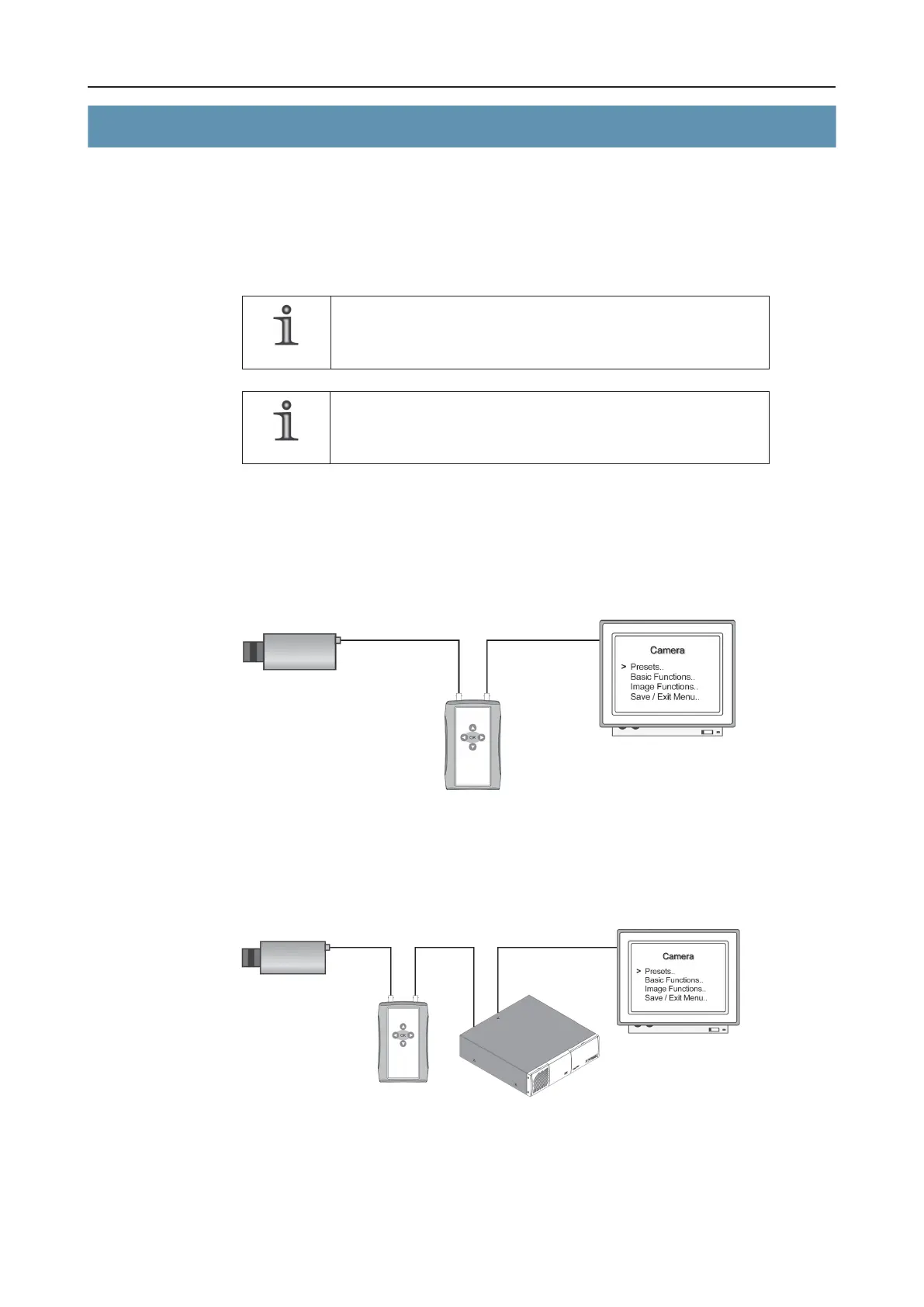
The camera can be configured directly using the Enter button (K) / Selector (J) or by means
of the UTC Remote Box, the recorder or PView.
NOTE
There must be no video distributor or signal amplifier between
the camera and the UTC Remote Box (or recorder or PView).
NOTE
Refer to the separate operator’s manuals for the devices or
software used.
7.1 UTC Remote Box
Direct
Camera UTC Remote Box CVBS monitor
Via recorder
Camera UTC Recorder Monitor
Remote Box
Fig. 7-1
Fig. 7-2



 To Next Page