EasyManua.ls Logo

D&R AIRENCE - Play Out Plug-ins; Plug-in Functionality; Creating a Plug-in

D&R AIRENCE
64 pages
Print Icon
To Next Page IconTo Next Page
To Previous Page IconTo Previous Page
Loading...
A I R E N C E - U S B M a n u a l P a g e 37
Play out plug-ins


PLUGINS
Present plug-ins in this folder are loaded when Virtual Keyboard Mapper

Keystroke Conguraon Editor

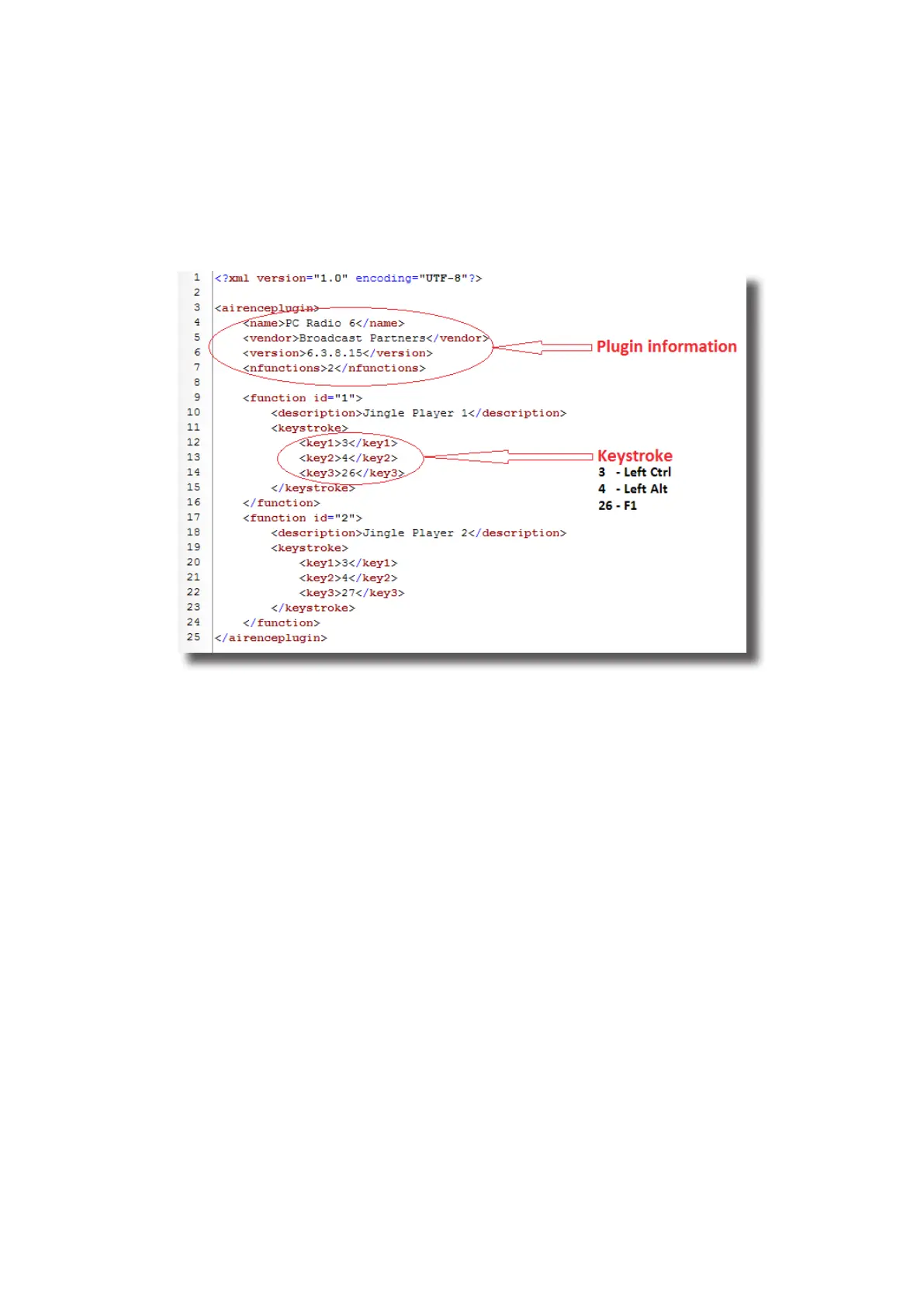
Figure 6. Example of playout plugin le
Create a plug-in

plug-in yourself. Since the plug-ins are represented in the XML format (which is readable for machine as well as human beings)



-

Keystroke
Conguraon Editor
key1, key2, and key3-




Table of Contents