EasyManua.ls Logo

D&R AIRENCE - USB Bootloader Drivers; Identifying Unknown Device; Installing Bootloader Drivers

D&R AIRENCE
64 pages
Print Icon
To Next Page IconTo Next Page
To Previous Page IconTo Previous Page
Loading...
A I R E N C E - U S B M a n u a l P a g e 59
USB bootloader drivers
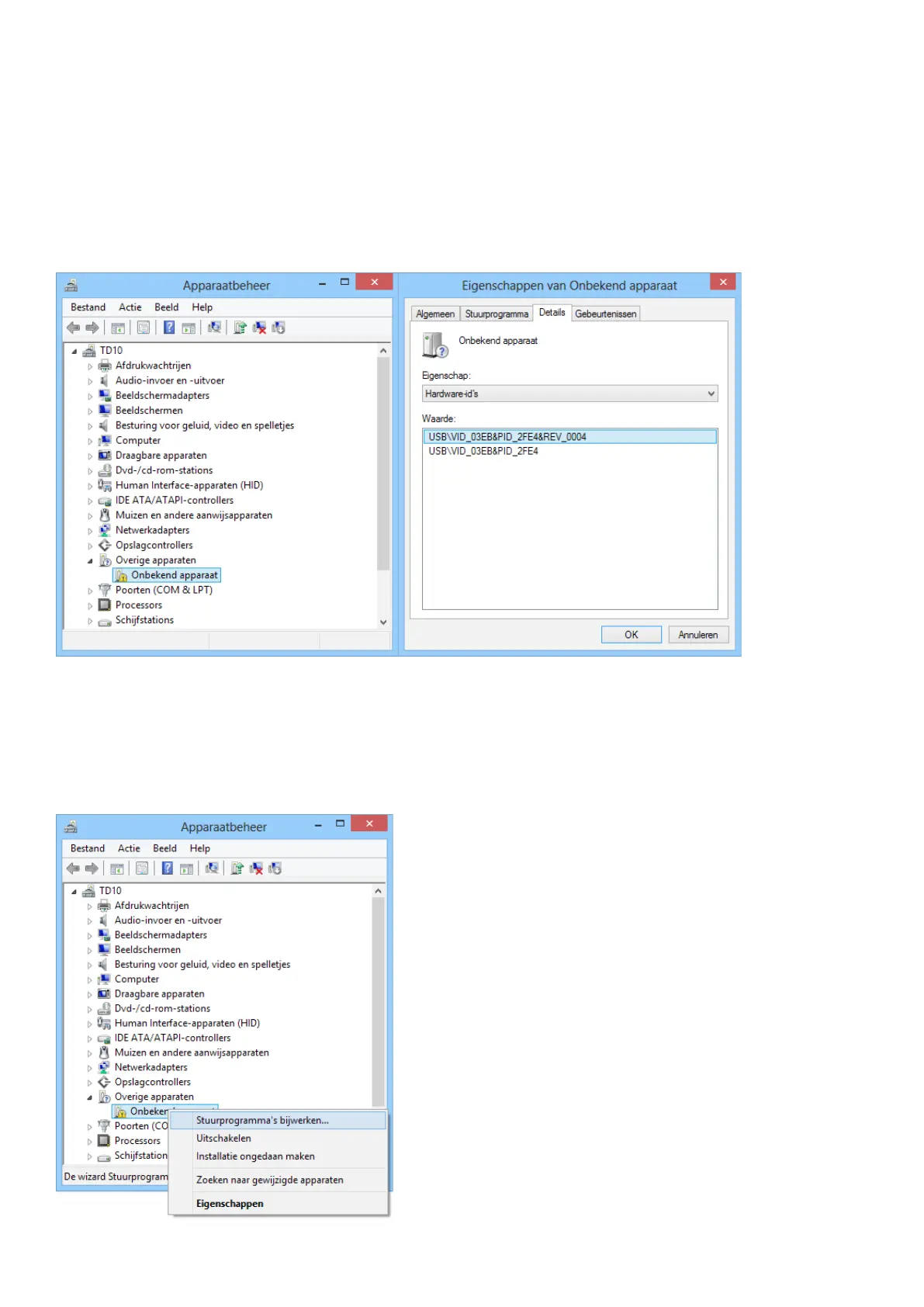
When the Airence mixer enters the bootloader mode it will probably sign up as an ‘unknown device’ in the device manager from

On the Details tab select Hardware-id’s
 03EB
  2FE4
To install the drivers right-click on the device and select update drivers. The drivers can be found in a subdirectory ‘usb of the

C:\Program Files (x86)\Airence Firmware Updatetool\usb

Table of Contents