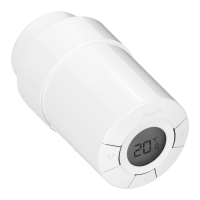
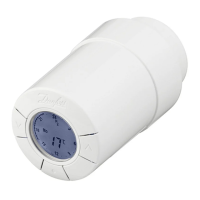
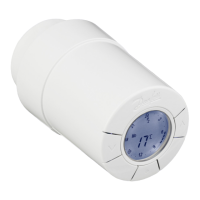
Connecting living connect®
to a Z-Wave controller
In Z-Wave connecting a device is called “Inclusion” or “Learn mode”.
To connect living connect® to a Z-Wave controller then:
▪
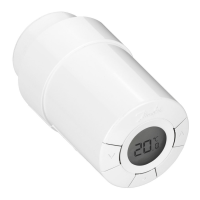
Ensure living connect® is factory reset as explained in the user manual.
▪
Activate "Inclusion" on the Z-Wave controller.
▪
Quickly press and release the select button on living connect®.
▪
Observe both controller and living connect® for status of the process.
Technical requirements:
▪
After a succesful "Inclusion" the controller must send a WAKE_UP_INTERVAL_SET command to
living connect® in order to specify where and when living connect® should communicate wire-
lessly.
▪
After sending the WAKE_UP_INTERVAL_SET command, the controller must assign return routes,
so living connect® can reach its destination i.e. the nodeID set in the WAKE_UP_INTERVAL_SET
command.
▪
living connect® will not commence its periodic communications if it is in "Installation mode". "In-
stallation mode" is for physical installation and should not be confused with "Inclusion". Please
consult the user manual of living connect® for instructions on how to leave "Installation mode".
▪
A Z-Wave controller will have access to all living connect® features, which are exposed using
standard Z-Wave command classes.
See other section of this document for more information.
Disconnecting living con-
nect® from a Z-Wave con-
troller
In Z-Wave disconnecting a device is called “Exclusion”.
To disconnect living connect® from a Z-Wave controller then:
▪
Activate "Exclusion" on the Z-Wave controller.
▪
Quickly press and release the select button on living connect®.
▪
Observe both controller and living connect® for status of the process.
Activate special awake
mode on living connect®
living connect® will turn on radio communication for short periods of time at specific intervals in or-
der to communicate with its controller, unless such a controller has yet to be configured. When radio
communication is not needed by living connect® it will turn the radio off to conserve battery life.
If a user needs to configure a controller for living connect® or send more information to living con-
nect® then the user can activate a special 5 seconds awake mode by pressing the select button on
living connect®.
Data Sheet living connect®, Z-Wave Certified Electronic Radiator Thermostat
4 VDHMB202 © Danfoss 09/2011 Danfoss Heating Solutions


 To Next Page
 Loading...