RS8KE102 | 25
© Danfoss | ADAP-KOOL® | 2018.11
How it works
On the AK-SM 800, select the MCX-RTU to assign a schedule and select the Schedule tab.
(Note: it is preferred to set up schedules under configuration -> Refrigeration -> Schedules – see
page 28)
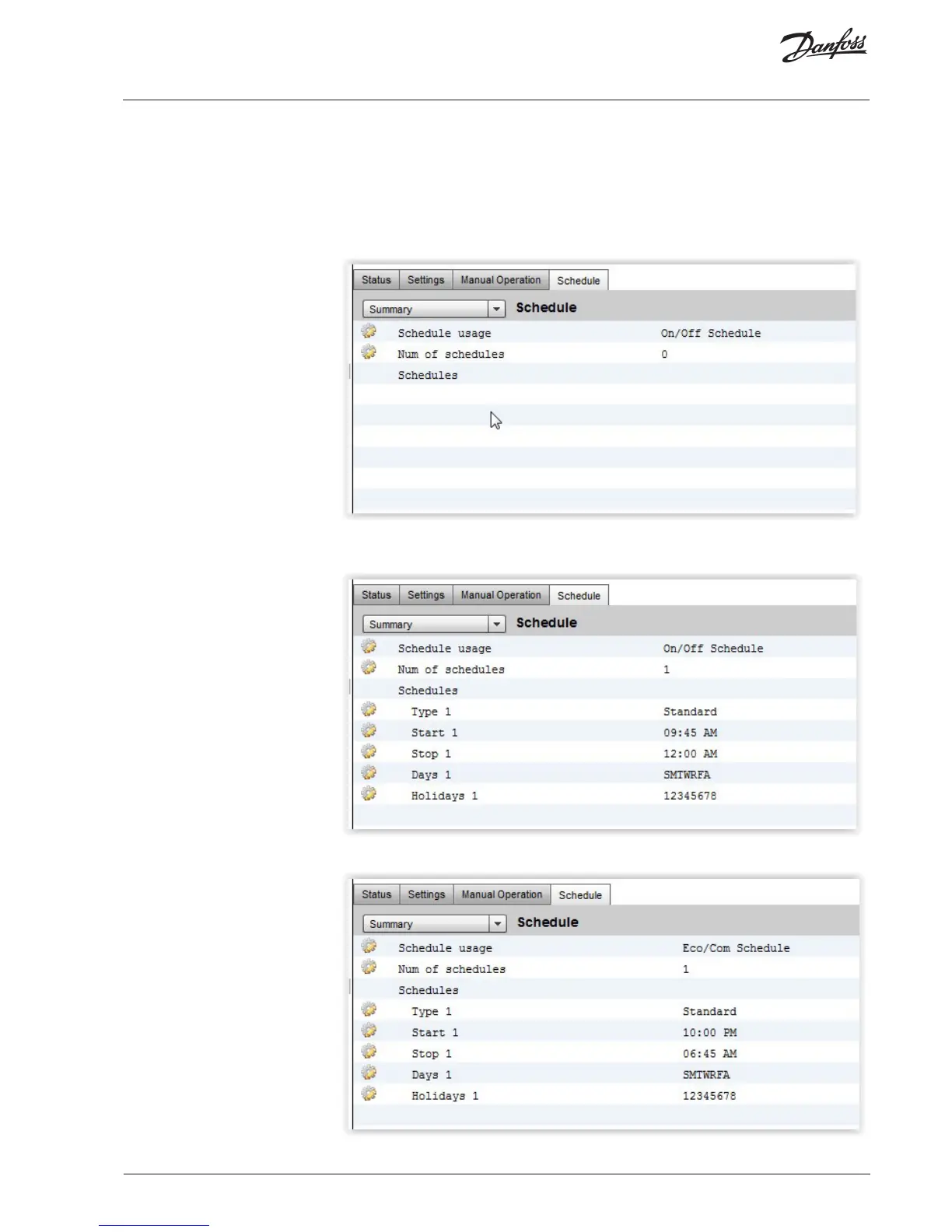
If no schedule has been setup, you will see a screen, similar to the one below. If there is no sche-
dule the MCX-RTU will follow the configuration of the unit.
To add a schedule, double click on the “Num of schedules” and set the number of schedules.
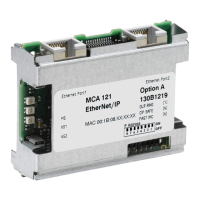
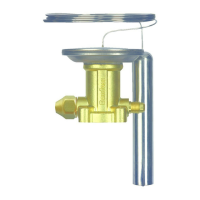
Each schedule allows programming a Start and Stop time.
This On/Off Schedule will completely shutdown the MCX-RTU between midnight and 9:45 AM.
This Eco/Com Schedule will place the MCX-RTU in night setback from 10:00pm to 6:45am.
Schedule Enable




 To Next Page