PVED-CLS WAS calibration
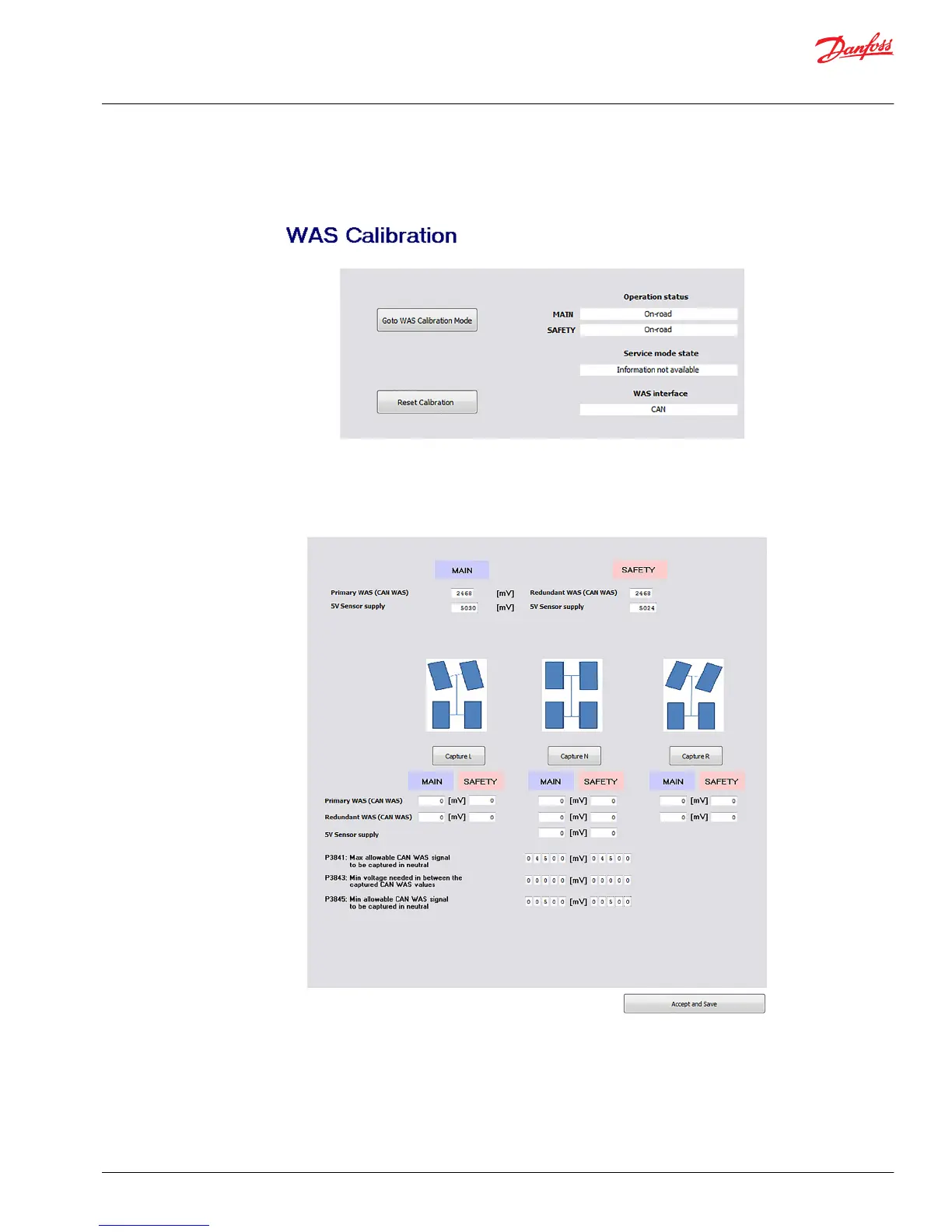
Navigate to the WAS calibration section via System Navigator > Auto-Calibration > WAS Calibration
1. Select Go to WAS calibration mode
2. Steer left, straight (neutral) and right (in any order) using the steering wheel and press the
appropriate button when wheels are at the desired angle.
3. Press Accept and save
Values will automatically change in either the Analog Sensor Calibration Data or CAN WAS Calibration
Data page, based on which type of WAS was selected in the Peripherals configuration.
Application Guide
PVED-CLS startup guide
Parameter setting
©
Danfoss | October 2018 AB285975085591en-000101 | 17


 To Next Page
 Loading...