13
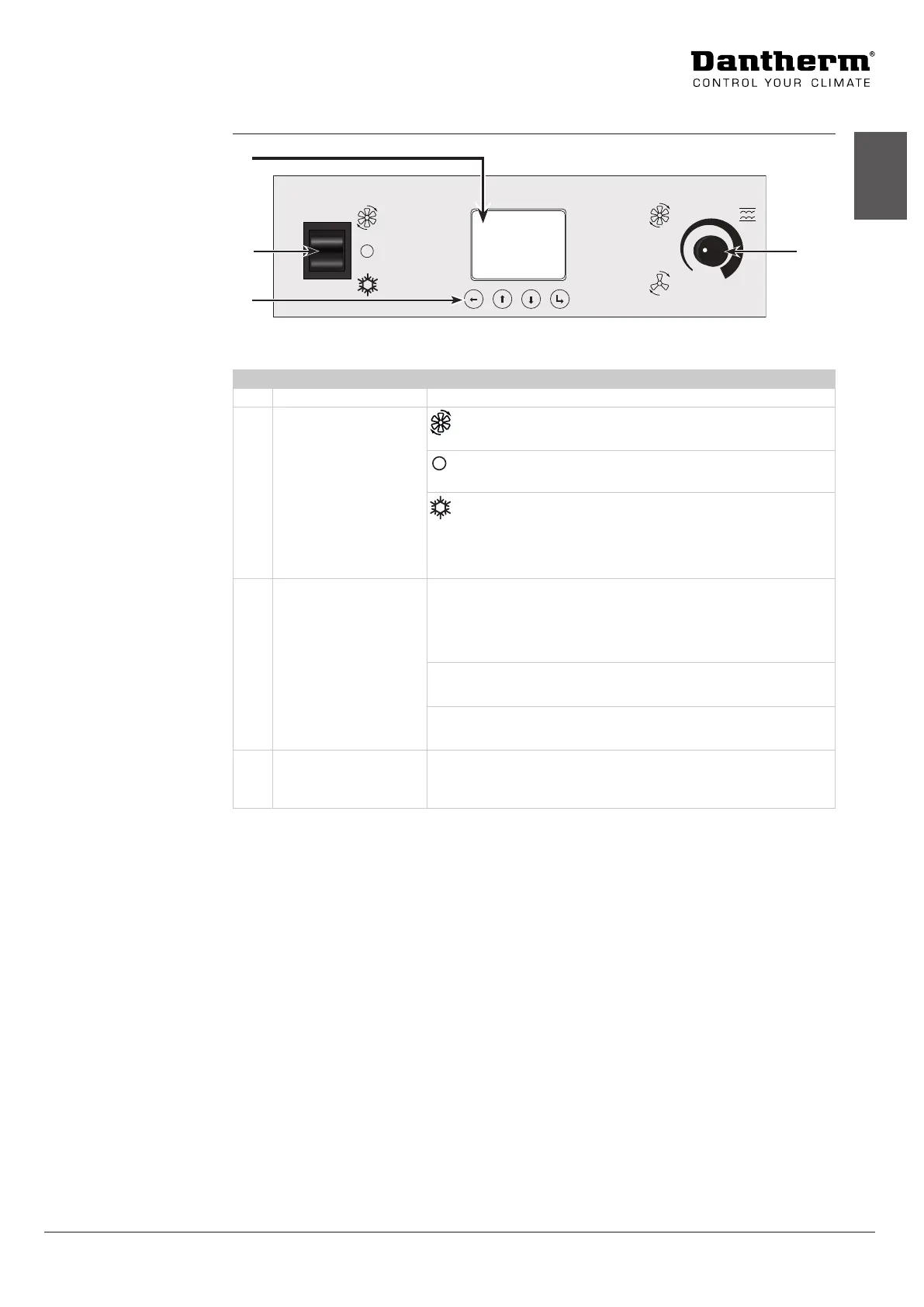
Operation: User interactions
1
2
3
4
Fig. 6
Pos. Function Description
1 Display See display options on page 14.
2 Mode switch
Fan only
• Ventilation without air conditioning
Stand by
• The device remains powered but will not operate
Air Conditioning (A/C)
• When the controller detects a cooling requirement, a
timer will delay the compressor start for a minimum of
one minute and a maximum of six minutes.
3 Navigation buttons
↳ Return/ OK/ Save
• Enter menu/ submenu: Press ↳ for 2 seconds, then
release
• Confirm and save settings
↑↓ Up & down
• Toggle menu
← Back/cancel
• Press ← to get out of a submenu/menu
4 Fan speed control dial Adjust the fan speed.
Please note that there is a short delay between turning the
dial and the fan speed increasing or decreasing.
Control panel
en




 To Next Page