14
Operation: User interactions
ACT-7
22
HL
c
1
2 3
4
5
6
7
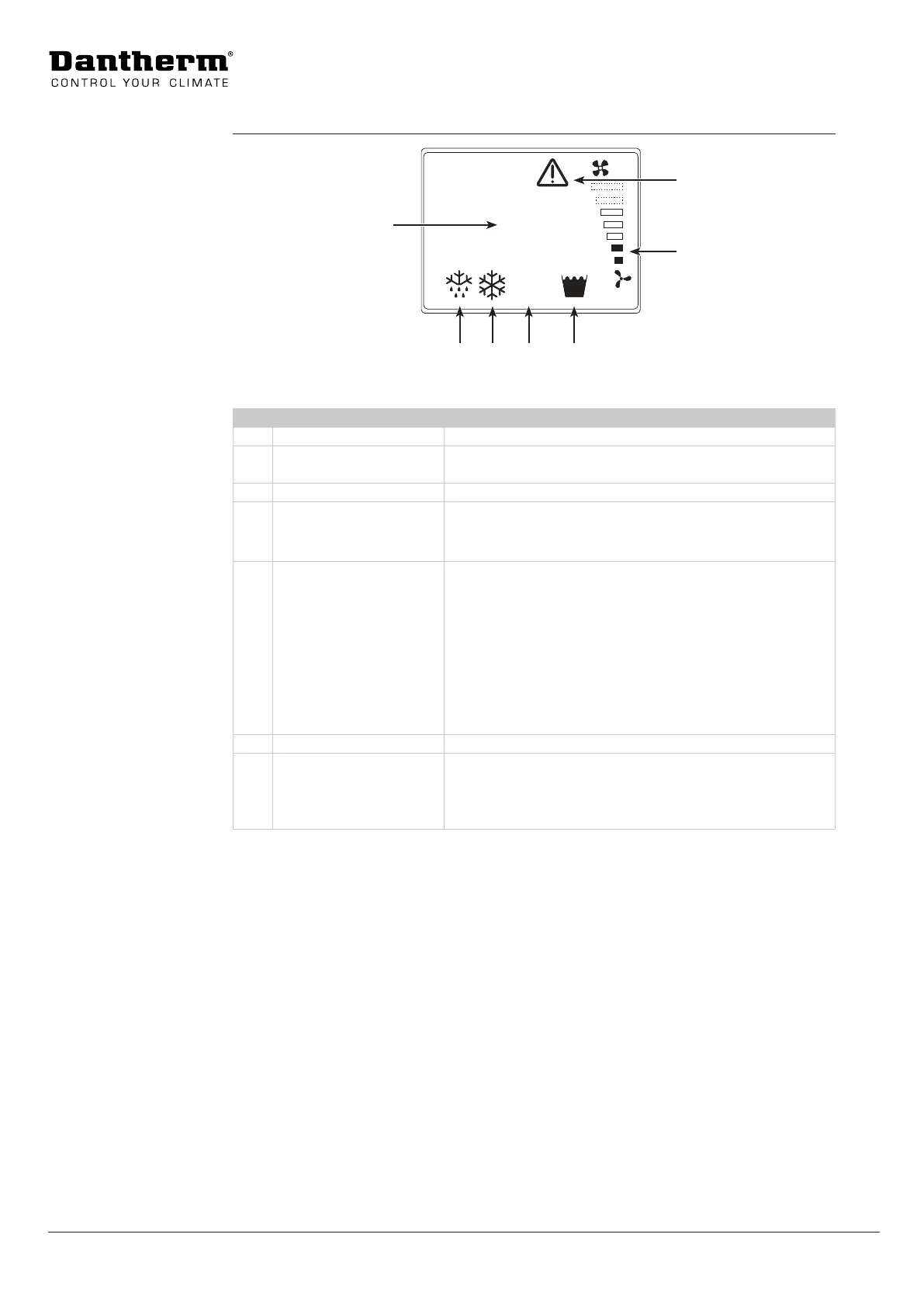
Fig. 7
Pos. Display Description
1 Current temperature Measured sensor temperature.
2 Defrost (active) The ACT 7 runs the defrost mode when needed and auto-
matically returns to cooling/fan only mode when nished.
3 Air Condition (active) The ACT 7 is in air condition mode.
4 Alarms (ashing):
• H = High pressure
• L = Low pressure
The alarm has to be reset (see “Menu overview” on page
15) when the error has been rectied (nd help for trou-
ble shooting on page 17).
5 Tank full indicator
(ashing)
The alarm resets itself and works as follows:
1. When the alarm appears the ACT 7 will continue to
work for the next 30 seconds.
2. If the condensate tank has not been emptied, the
pump continues to operate while the ACT 7 stops cool-
ing.
3. When the condensate tank is emptied, the alarm will
disappear and the ACT 7 will restart after a delay of
minimum one minute and maximum six minutes.
6 Fan speed Displaying the fan speed adjusted by the fan speed dial.
7 Overheat warning Indoor temperature is too high (above 35 °C). The symbol
will disappear automatically, when the room temperature
drops below 35°C and the ACT 7 starts up again.
(see also “Trouble shooting” on page 17)
Display




 To Next Page