5 English
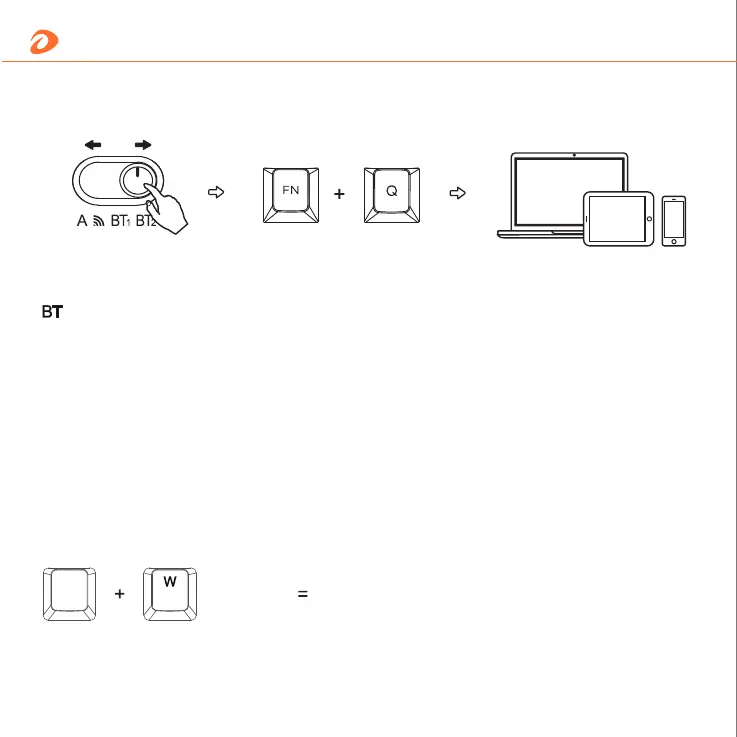
Toggle to BT1/BT2 Fn+Q for 3 seconds Multiple devices
2. BT pairing method
*Reconnect devices in BT mode: press Fn+Q for 3~4 seconds, the indicator light flashes quickly.
Then pair it for use.
:1- Switch button to BT1/BT2;
2- Turn on the device BT and search keyboard;
3- Paring and connection.
Connection guidelines
3. OS switching
Switch between MaC and Windows systems
3 (seconds)
FN


 To Next Page