Need help?
Do you have a question about the Dareu A98 and is the answer not in the manual?
Explains the keyboard's power indicator status and the meaning of various indicator lights.
Instructions for connecting the keyboard via USB cable or 2.4G wireless.
Steps for pairing and connecting via Bluetooth, including multi-device switching.
Details on changing backlight modes, brightness, and colors using key combinations.
Lists keyboard shortcuts for media playback and volume control.
Introduction to the keyboard's software interface and its main customizable sections.
Step-by-step guide on recording and assigning macro functions using the driver.
 General
| Keycap Material | PBT |
|---|---|
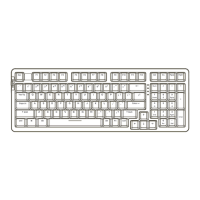
| Layout | 98% |
| Backlight | RGB |
| Mounting Method | Gasket Mount |
| Hot-swappable | Yes |
| Switch Type | Dareu Custom Switch |
| Connection Type | Wired |
| Case Material | Plastic |

 To Next Page