Need help?
Do you have a question about the Dareu EK861-GTR and is the answer not in the manual?
Details how to adjust keyboard height by extending and rotating magnetic feet.
Information on the built-in lithium battery and its long-lasting performance.
Instructions for switching backlight modes, colors, and brightness.
Details on how specific key combinations activate secondary functions.
Introduction to the main driver interface for keyboard customization.
Guide to using the macro editor for recording and assigning custom key sequences.
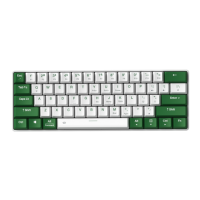
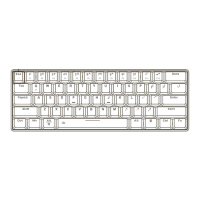
The DAREU EK861 is a compact 60% mechanical keyboard designed for versatility and user customization. It offers a tri-mode connection, allowing users to switch between wired, Bluetooth, and 2.4GHz wireless modes, making it suitable for a wide range of devices and platforms, including Windows, Mac OS, and Android.
The EK861 functions as a standard mechanical keyboard with a 61-key layout. Its primary purpose is to provide a responsive and customizable typing experience. The "hot-swap" feature allows users to easily change out mechanical switches without soldering, enabling personalized tactile feedback and sound. The keyboard also features RGB backlighting, which can be adjusted in terms of lighting modes and colors, enhancing the aesthetic appeal and visibility in various lighting conditions.
The keyboard offers three connection modes:
Fn + Q for 5 seconds until the Esc indicator light flashes quickly, then insert the dongle to pair.Fn + Q for 5 seconds until the Esc indicator light flashes quickly, then proceed with pairing.The EK861 features unique adjustable magnetic keyboard feet. These feet can be taken out and rotated by 90 degrees to increase the keyboard's height by 3.5mm, allowing users to customize the typing angle for improved ergonomics.
The keyboard's RGB backlight offers extensive customization:
Fn + L to cycle through 20 different lighting modes.Fn + .> to change the backlight color.Fn + Tab for 5 seconds to reset the backlight settings.Fn + to cycle through brightness levels (100%-OFF-25%-50%-75%). In wireless mode, the backlight automatically turns off after 5 minutes of inactivity to conserve battery and wakes up with any key press.The EK861 incorporates several key shortcuts to enhance user experience:
Fn in combination with the number keys 1! through +=.Fn + {[, Fn + ]}, Fn + |\ control volume down, volume up, and mute, respectively.Fn + " and Fn + , adjust screen brightness.Fn + Y = PrscrFn + U = ScrLkFn + I = PauseFn + H = InsFn + J = HomeFn + K = PgUpFn + = DeleteFn + M = EndFn + < = PgDnFn + Win = WIN Lock/UnlockFn + W = L-Win + L-Alt (long press for 5 seconds)The keyboard allows users to swap the functionality of certain keys to act as arrow keys. By pressing Fn in combination with the Alt, Ctrl, and Shift keys within 5 seconds, the Z, X, C, and V keys can be exchanged to function as arrow keys. After this exchange, the ? and / keys, as well as the right Shift key, can also be used in conjunction with Fn to access additional arrow key functions.
DAREU provides optional driver software, downloadable from their website, for advanced customization. This driver allows users to:
The EK861's hot-swap switch design simplifies maintenance and customization. Users can easily remove and replace individual switches using the included switch puller without needing to desolder, which extends the keyboard's lifespan and allows for quick repairs or upgrades.
The keyboard comes with a keycap puller, making it easy to remove keycaps for cleaning or replacement. This feature is essential for maintaining hygiene and allowing for aesthetic customization with different keycap sets.
The keyboard is equipped with a built-in Li-Battery, providing long battery life for wireless operation. The charging indicator light (Esc key) turns red when charging and green when fully charged, providing clear visual feedback on battery status.
The keycaps are made from ABS with double injection, which enhances their durability and prevents legends from fading over time, even with heavy use. The overall construction is designed to withstand regular use, contributing to the device's longevity.
 General
| Brand | Dareu |
|---|---|
| Model | EK861-GTR |
| Category | Keyboard |
| Type | Mechanical |
| Key Switch Lifespan | 50 million keystrokes |
| Backlight | RGB |
| Connectivity | Wired (USB Type-C) |
| Hot-swappable | Yes |
| Actuation Force | 45g |
| Actuation Point | 2mm |
| Total Travel | 4mm |
| Polling Rate | 1000Hz |
| Case Material | Plastic |
| Keycaps | PBT |
| Anti-ghosting | Full Key Anti-ghosting |

 To Next Page