Need help?
Do you have a question about the Dareu EK871 and is the answer not in the manual?
Connects the keyboard wirelessly via Bluetooth using specific key combinations.
Connects the keyboard to a device using a USB Type-C cable.
Features magnetic feet that can be rotated 90 degrees to adjust keyboard height.
Equipped with a built-in lithium battery offering extended operational time.
Switches between Windows and Alt keys with a long press.
Explains basic Fn key combinations for system functions and backlight.
Overview of the keyboard driver software interface for customization.
Details on using the driver for macro recording and editing.
 General
| Brand | Dareu |
|---|---|
| Model | EK871 |
| Type | Mechanical |
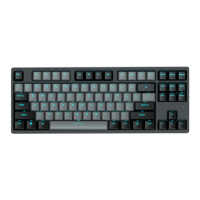
| Number of Keys | 87 |
| Keycap Material | PBT |
| Backlight | RGB |
| Key Rollover | N-Key Rollover |
| Connection | Wired |
| Switch Type | Dareu Custom Mechanical Switch |
| Interface | USB Type-C |

 To Next Page