Need help?
Do you have a question about the Dareu EK861 and is the answer not in the manual?
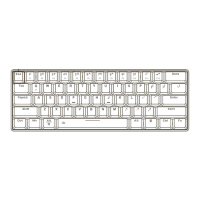
Displays the physical dimensions and overall design of the keyboard.
Step-by-step instructions for establishing a Bluetooth connection.
Instructions for connecting the keyboard using a wired USB-C cable.
Details on how to adjust the keyboard height using magnetic feet.
Information regarding the internal lithium battery and its long life.
Explains combinations for switching between different keyboard functions.
Demonstrates specific key function mappings and arrow key exchange.
Lists specific combinations for F1 through F12 keys.
Covers shortcuts for media volume and screen brightness adjustment.
Details specific assignments for various function keys.
Overview of the keyboard driver interface for customization.
Details on using the macro recording and editing features.
Information on battery capacity, charging time, and battery life.
 General
| Brand | Dareu |
|---|---|
| Model | EK861 |
| Type | Mechanical Keyboard |
| Keycap Material | PBT |
| Backlight | RGB |
| Hot-swappable | Yes |
| Actuation Force | 45 g |
| Actuation Point | 2 mm |
| Total Travel | 4 mm |
| Polling Rate | 1000 Hz |
| Connection | USB Type-C |
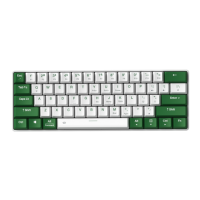
| Layout | 61-Key / 60% |

 To Next Page