Need help?
Do you have a question about the Dareu EK810 and is the answer not in the manual?
Details connection, interface, voltage, power consumption, keyboard layout, normal keys, and dimensions.
Details lighting type, key type, key conflict, and system compatibility.
Explains FN+F7 to F10 key combinations for various lighting effects like flowing, breathing, and rippling.
Details FN+F11 and F12 key combinations for lighting effects such as left/right wave, united, and wings-spreading.
Illustrates FN key combinations for multimedia, backlight frequency, color, brightness, and direction control.
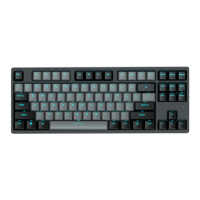
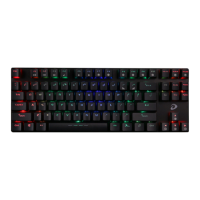
The DAREU EK810 87-key mechanical alloy iridescent keyboard is a wired peripheral designed for PC use, offering a blend of aesthetic appeal and functional performance. This user manual outlines its various features, focusing on its backlit effects, multimedia controls, and overall usability.
The EK810 is an 87-key mechanical keyboard, meaning it uses individual mechanical switches for each key, providing a distinct tactile feel and audible click (depending on the switch type) that many users prefer for typing and gaming. Its primary function is to serve as an input device for computers, facilitating text entry, command execution, and navigation.
A significant feature of this keyboard is its extensive backlit functionality, which allows users to customize the keyboard's appearance and enhance visibility in low-light conditions. The backlighting is not merely static; it offers a variety of dynamic effects that can be adjusted in terms of speed, brightness, and color.
The keyboard also integrates multimedia control functions, accessible through a combination of the "Fn" key and the F-keys (F1-F6). These controls allow for quick adjustments to audio playback, such as play/pause, stop, previous track, next track, and volume control, without needing to interact directly with software interfaces.
The EK810 is designed for ease of use with a standard USB connection, ensuring broad compatibility with various PC systems. Its wired nature guarantees a stable and lag-free connection, which is particularly important for gaming and professional use where responsiveness is critical.
The keyboard offers a rich array of backlit effects, categorized into several distinct modes, each with its own set of customizable parameters:
FN+F7 (Flowing/Waving/Rotating): This mode provides effects where lights flow, wave from left to right (or in reverse), or rotate across the keyboard. Users can adjust the speed of these effects using "Fn" and the "-" or "=" keys, with four distinct speed steps. Brightness can be controlled with "Fn" and the up/down arrow keys, offering five steps from off to 100% brightness. The direction of the wave can be changed using "Fn" and the left/right arrow keys. Furthermore, the color of the backlighting can be cycled through a range of options (mixed color, red, orange, yellow, green, cyan, blue, purple, white) by pressing "Fn+SCRLK."
FN+F8 (Healing/Breathing/Constant Bright): This mode includes effects such as "Healing light," where the entire keyboard's lighting gradually changes from one color to another; "Breathing," where lights pulsate; and "Constant-bright," which maintains a steady, single-color illumination across the keyboard. Similar to FN+F7, brightness can be adjusted in five steps (off to 100%) using "Fn" and the up/down arrow keys. Color cycling is also available via "Fn+SCRLK" to switch between mixed, red, orange, yellow, green, cyan, blue, purple, and white.
FN+F9 (Blooming Flowers/Bling Stars/Falling Rainbow): This mode offers more visually intricate effects. "Blooming flowers" causes all keys to change colors simultaneously. "Bling stars" makes the entire keyboard sparkle like stars. "Falling rainbow" displays rows of different lighting colors falling in a rainbow-like pattern. Speed adjustments are possible with "Fn" and the "-" or "=" keys (four steps). Brightness can be controlled in five steps (off to 100%) using "Fn" and the up/down arrow keys. Directional lighting (bottom-to-top or top-to-bottom) can be toggled with "Fn" and the up/down arrow keys. Color selection is available through "Fn+SCRLK."
FN+F10 (Rippling/Tracing/Winging): This mode focuses on interactive lighting effects. "Rippling" spreads light outwards from the key that is pressed. "Tracing" illuminates the pressed key and then slowly extinguishes it. "Winging" causes light to spread across the entire row from the pressed key. Speed adjustments are available with "Fn" and the "-" or "=" keys (four steps). Brightness can be controlled in five steps (off to 100%) using "Fn" and the up/down arrow keys. Color selection is available through "Fn+SCRLK."
FN+F11 (Left or Right/United/Colorfully Releasing): This mode features effects where lighting waves move from left to right and in reverse with each stroke, the entire keyboard lights up constantly, or the keyboard's lighting changes colorfully. The frequency of these effects can change with keystroke frequency. Brightness is adjustable in five steps (off to 100%) using "Fn" and the up/down arrow keys. Color selection is available through "Fn+SCRLK."
FN+F12 (Wings-spreading/Part-to-whole/Digital-age): This mode includes effects where lighting spreads out like big wings from the keyboard center, spreads from a small part to the whole keyboard, or key lighting changes on its own. Speed adjustments are available with "Fn" and the "-" or "=" keys. Brightness can be controlled in five steps (off to 100%) using "Fn" and the up/down arrow keys. Color selection is available through "Fn+SCRLK."
The "Fn" key, when combined with F1 through F6, provides quick access to multimedia functions:
The keyboard features three locations for cable routing on its underside, allowing users to choose the most convenient exit point for the USB cable (left, center, or right). This helps in maintaining a tidy desk setup and preventing cable strain.
While the manual does not explicitly detail maintenance procedures, the design implies certain aspects:
In summary, the DAREU EK810 is a feature-rich mechanical keyboard that prioritizes user experience through extensive backlit customization, convenient multimedia controls, and a durable design, making it suitable for a wide range of users from casual typists to avid gamers.
 General
| Type | Mechanical Keyboard |
|---|---|
| Key Rollover | N-Key Rollover |
| Backlight | RGB |
| Connection | Wired |
| Number of Keys | 104 |
| Interface | USB |
| Switch Type | Dareu Switch |
| Keyboard Layout | 104-Key |
| Keycaps | Double-shot keycaps |
| Compatibility | Windows, macOS, Linux |

 To Next Page