Need help?
Do you have a question about the Dareu EK868 and is the answer not in the manual?
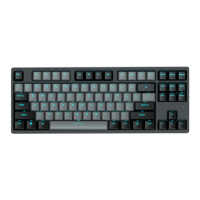
Details physical characteristics: key count, dimensions, weight, and switch type.
Outlines electrical details: key conflict, battery, charging time, voltage, and current.
Step-by-step instructions for establishing a wired connection via USB.
Instructions for pairing the keyboard using Bluetooth to multiple devices.
Explanation of how to use the magnetic feet to adjust keyboard height.
Information on the integrated 2000mAh lithium battery and its usage.
Details specific Fn key combinations for Windows OS functions like volume and screen control.
Explains Fn key combinations for Mac OS functions like volume, search, and playback.
Instructions on how to adjust the keyboard backlight brightness using Fn key combinations.
Description of the keyboard's driver interface for configuration and customization.
Overview of the macro interface for creating and assigning custom key sequences.


 To Next Page
 General