4
How to Connect
BT connect
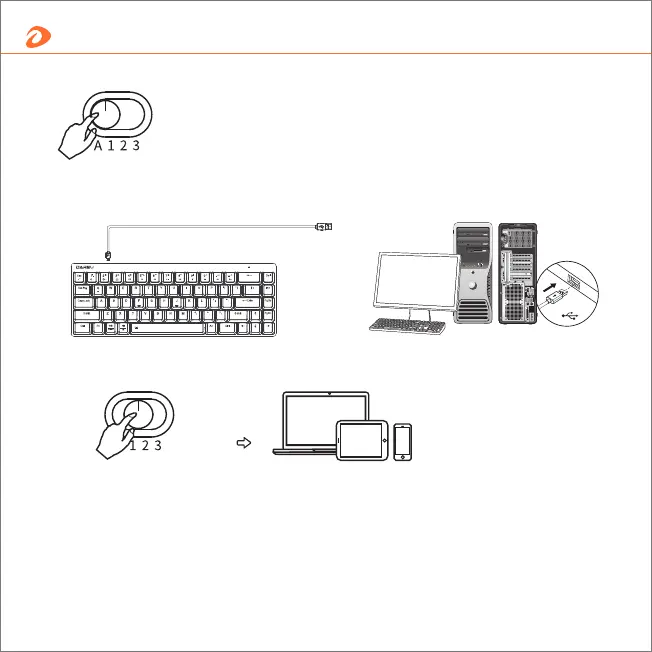
Channel A : Wired
Channel 1 / 2 / 3 : BT mode
Channel 1 / 2 / 3 : BT mode
Wired: plug and play
Wireless: BT connect
1- Switch button to 1, or 2, or 3;
2- Turn on the device BT and search keyboard;
3- Pair and connect.
*If can't search the keyboard or want to connect to another devices, press Fn+Q keys for 5 seconds,
the indicator light flashes quickly. Then pair it up.
Support multiple platforms



 To Next Page