Tally Dascom 1325
5
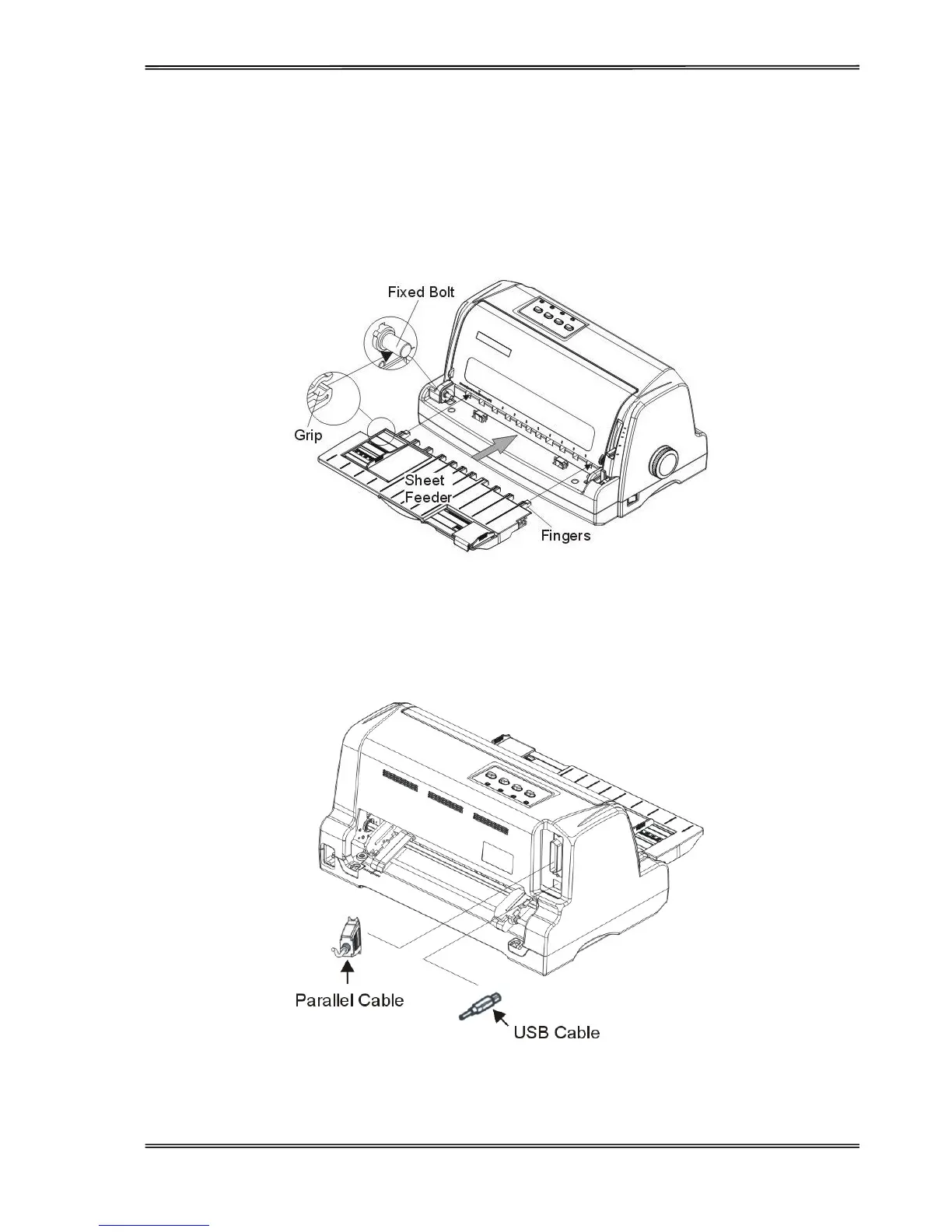
Install the Paper Loader
As shown in the picture below, ensure the sheet feeder fingers fit into the slots in front of the printer. Push in the
sheet feeder until its sides latch on the fixed bolts in the printer. The sheet feeder is now installed successfully.
To remove the sheet feeder, use one hand to hold the printer and the other hand to pull and unlatch the sheet
feeder.
Connecting the Interface Cable
The 36-pin Centronics parallel and USB ports are located at the rear of the printer. IMPORTANT: Make sure
the printer and the computer are switched off before connecting or disconnecting the interface cable to
prevent electrical damage to the interface ports.



 To Next Page