Tally Dascom 1325
7
Installing the Windows Driver
(Windows 2000/2003/2008 Server/XP/Vista/7)
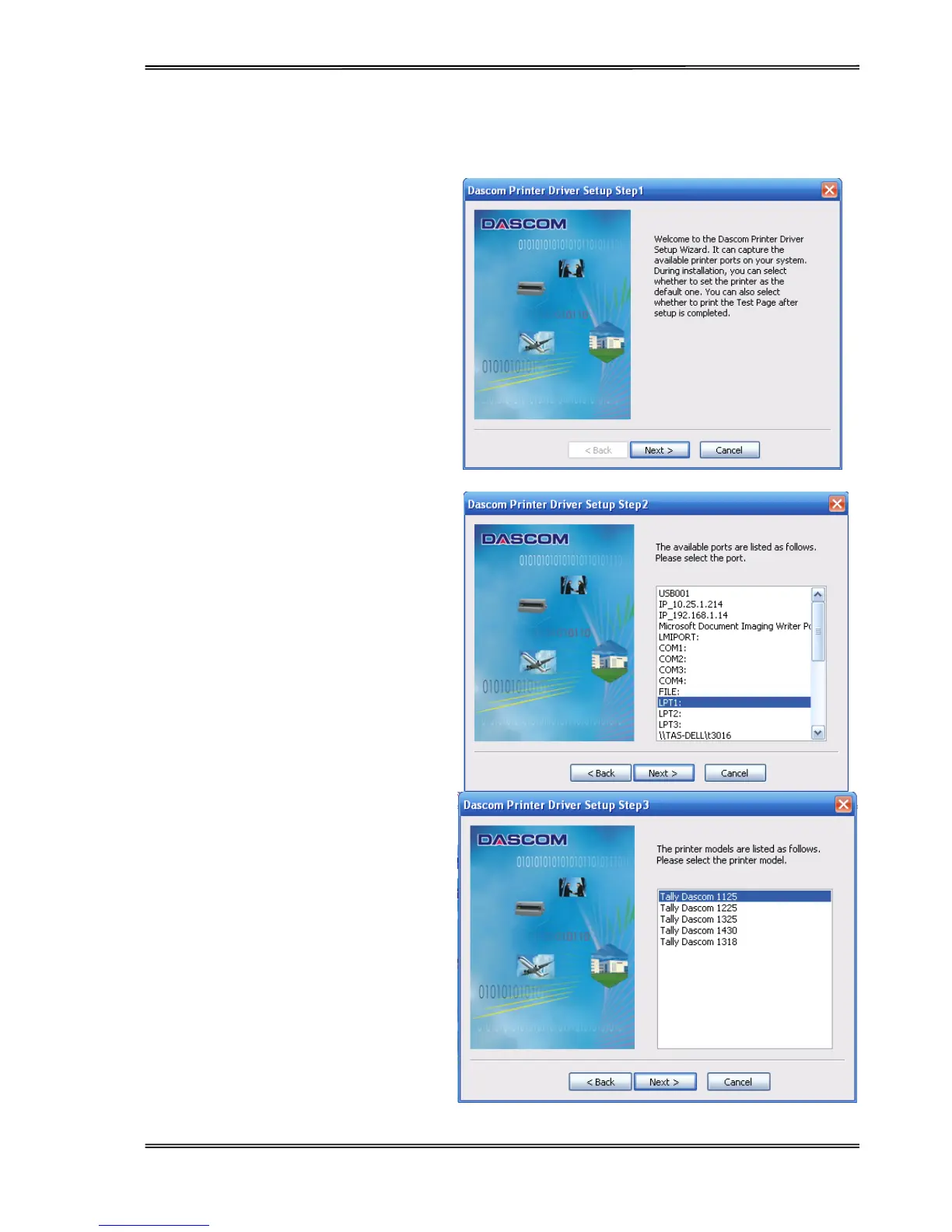
1. Your printer CDROM comes with
Windows drivers. Go to the Drivers
folder and run the Installer
“DriverSetup.exe”. You will see the
screen on the right. Click “Next” to
continue.
2. A list of ports available on your
system will be displayed as shown
on the right. Choose the desired
port to use. Click “Next” to continue.
3. Select the desired printer model as
shown on the right. Click “Next” to
continue.



 To Next Page