Installation
9 User’s Manual - SM202T/SMV23 Modem
– For the IG202T-RM, consult the documentation for your Motorola/UDS
RM16M
Hardware Overview
Front View
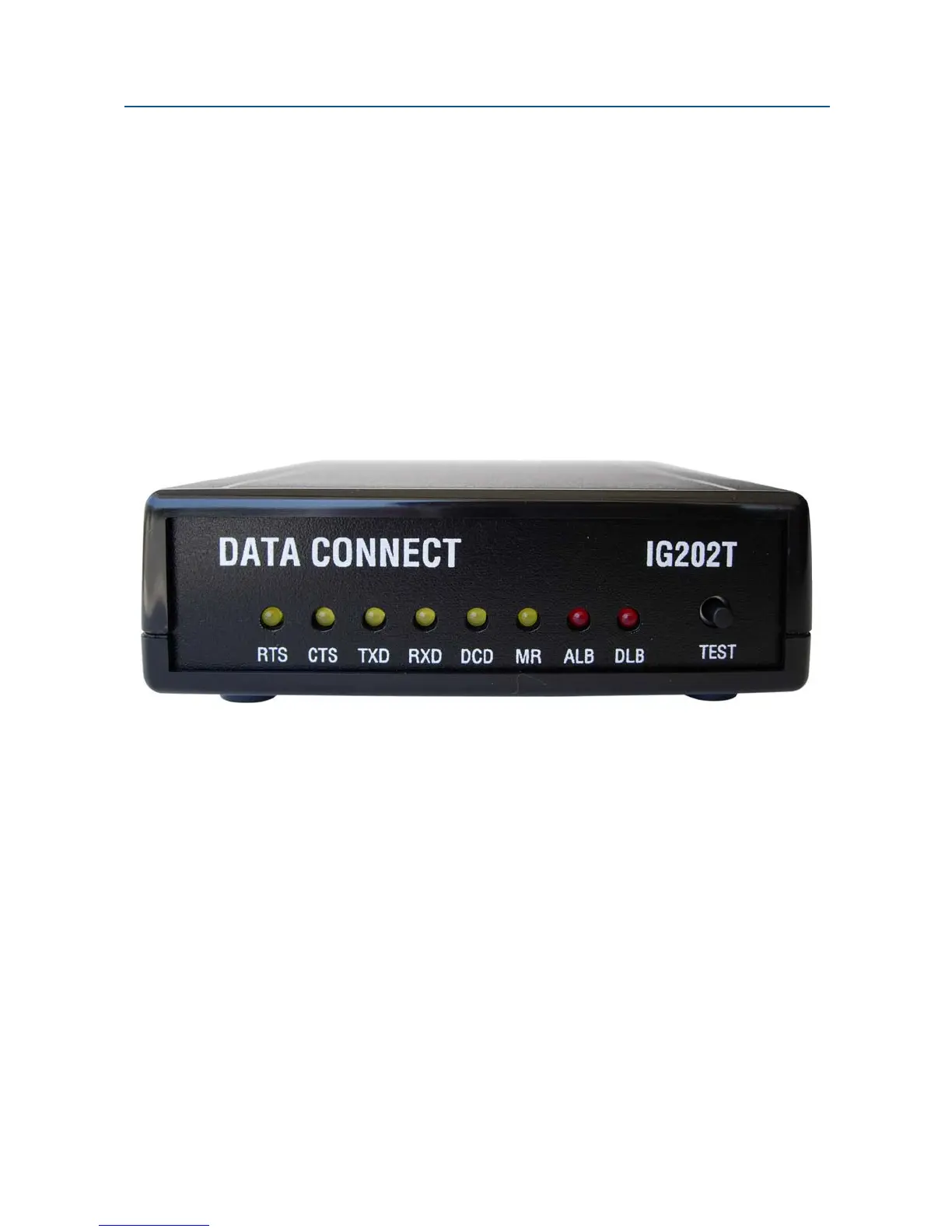
Figure 2-1 shows the front view of the IG202T/V23 stand-alone modem. Starting from the
left side, this view shows:
y A set of eight LEDs for modem interface status (see Table 2-4 on page 21)
y A loopback control push-button switch (see Loopback Control Switch on page 21)
Figure 2-1. Front View of the IG202T/V23 Modem
Back View
Figure 2-2 shows the back view of the IG202T stand-alone modem. Starting from the left
side, this view shows:
y A 4-wire/2-wire configuration block labeled LEASED LINE
y An RJ-11 modular jack labeled RS-485 for connecting the modem to an RS-485
RTU
y A female, 9-pin RS-232 connector labeled RS-232 for connecting the modem to a
standard DTE (RTU)
y A power connector labeled 10-48V DC


 To Next Page