18 Using the Printer and Laminator
Loading Bottom-Side Laminate Film
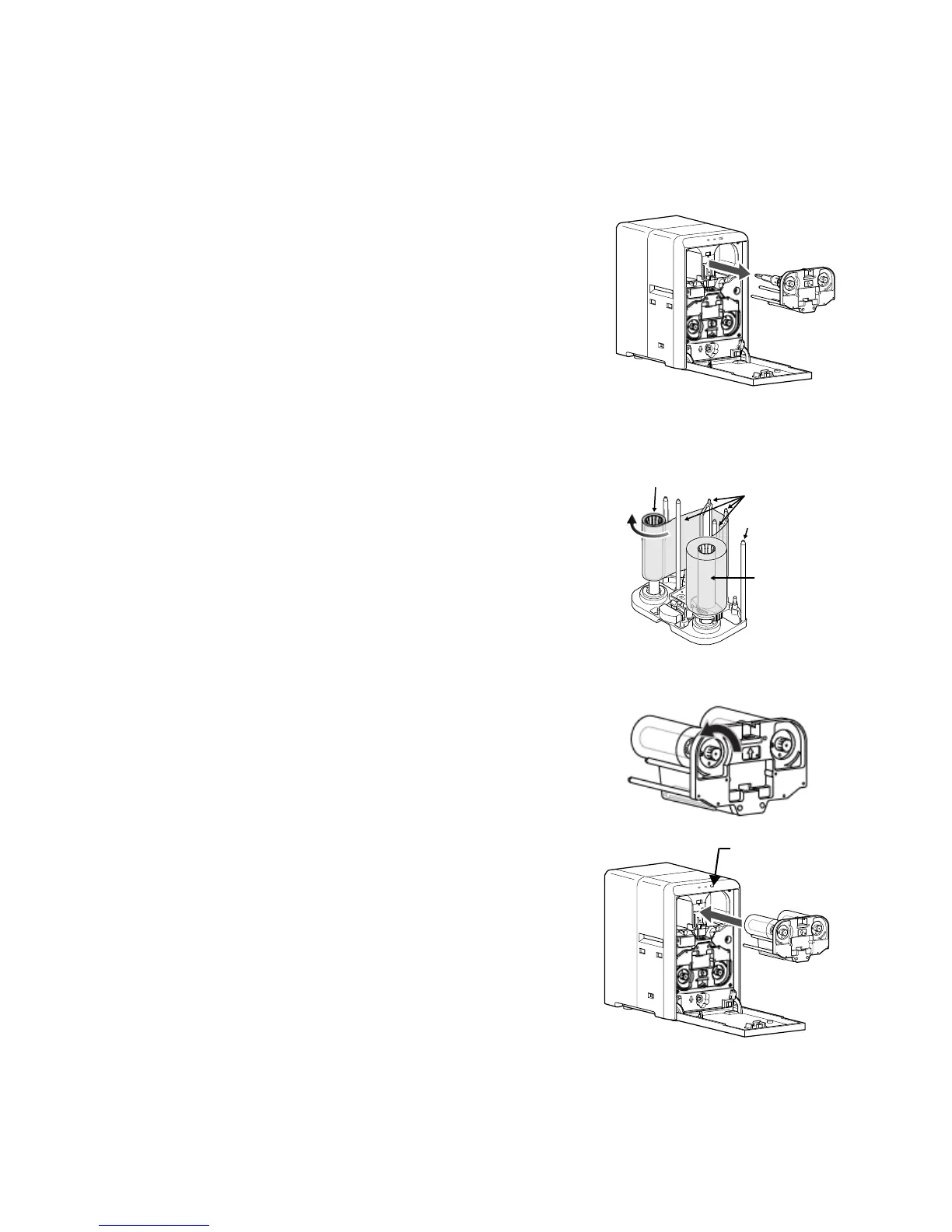
1. Openthelaminatordoorbypullingthetopofthedoortowardyou.
2. Removethebottom‐sidefilmcartridge:
Pressthelaminatorcartridgereleasebuttonandremove
thelaminatorcartridgecarefully.Thematerialmustbe
tightwhenremovingthecartridge.
3. Removetheusedmaterial(ifpresent).
Besuretosavethe
emptysupplyspool.(Donotthrowit
away.)Usetheemptyspoolasthetake‐upspoolinstep 4,
ofthisprocedure.
4. Placethenewrollofmaterialnexttotheemptytake‐upspoolonacleansurface.
5. Removethelabelfromthelaminatematerialanduseitto
securethefreeendofthematerialtotheemptytake‐up
spool,makingsurethattheedgesareeven.
6. Loadthenewrollofmaterialonthecartridge:
a. Putthefullrollofmaterialonthesupplyspind le.
b. Puttheemptytake‐upspoolonthetake‐upspindle.
c. Alignthematerialalongthefourmetalguidesas
shownonthecartridgelabel.
d. Windtwoorthreerotationsoffilmontothetake‐up
spool.Takeupslackbetweenthespoolsbyturning
thesupplyknobcounterclockwise.Ifslackcannotbe
removed,verifythatthesupplyandtak e‐upspools
arefirmlyseatedonthespindles.
7. Replacetheloadedlaminatorcartridgeinthelaminator
untilitclicksintoposition.
8. Closethelaminatordoor.
9. Iftheloadingstatusofthecartridgeischangedwhen
changingthesidetobelaminated,thelaminatordoes
notinitializewhenthelaminatordoorisclosed.Press
the
Operatorbuttontoinitializethelaminator.
Take-up Spool
Supply Roll
Guide Shaft
Metal Guides



 To Next Page