Step-by-step Assistant
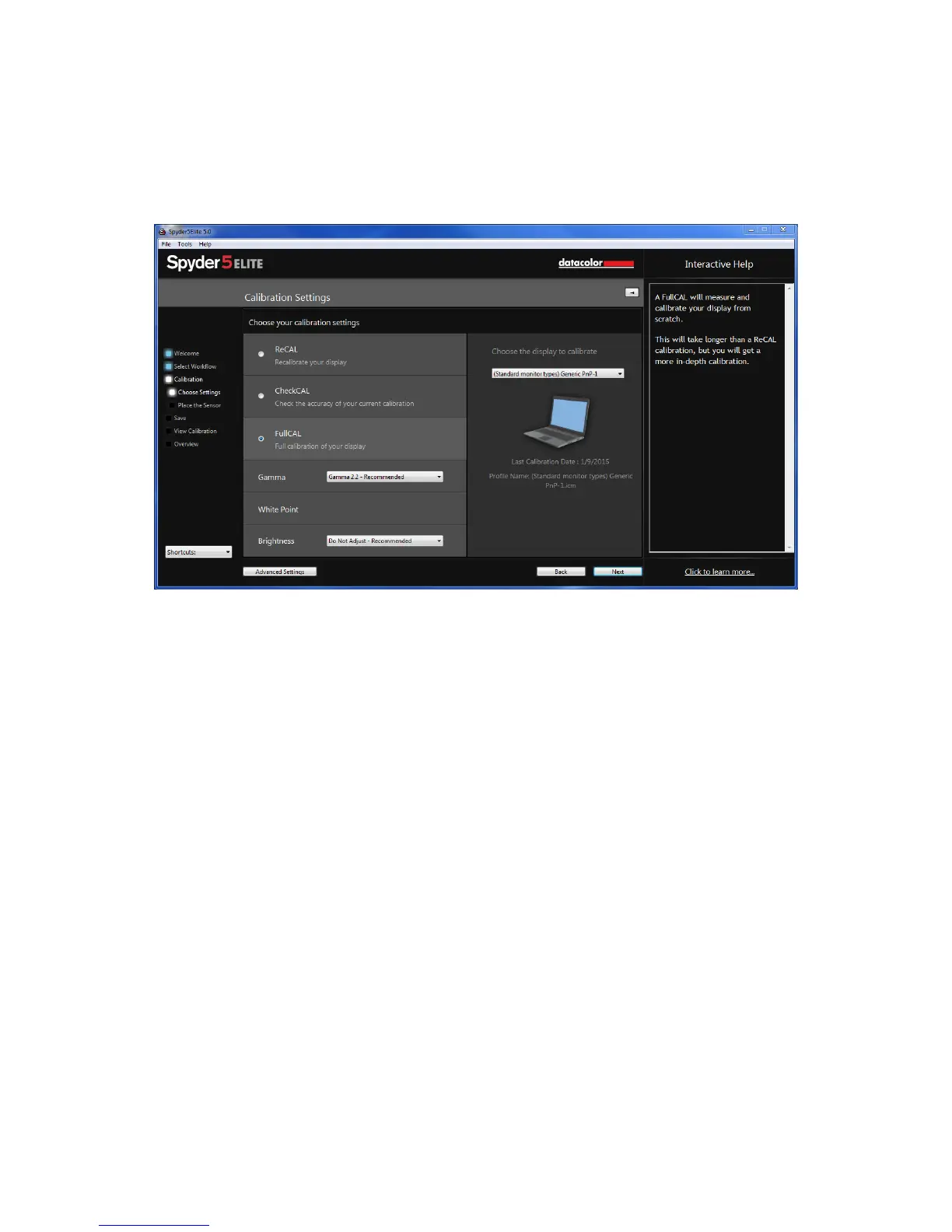
If this is your first time calibrating this display, you will automatically have Full
Calibration selected here.
On subsequent calibrations you can choose doing a FullCAL, a ReCAL, or a
CheckCAL. A FullCAL will perform a full calibration of your display. A ReCAL will
recalibrate your display. A CheckCAL will check to see if your display is still
accurate.
You will also see your current target settings for Gamma, White Point, and
Brightness here. To make an adjustment to either of these targets, please choose the
drop down next to each setting to make your changes.
In the lower left corner there is an “Advanced Settings” button. Here you can choose
a custom target for Gamma, White Point, and Brightness as well as TV standards to
calibrate a videography workflow.



 To Next Page