Product Reference Guide 93
\
Enter Reader Configuration Exit and Save Reader Configuration
AMHKGMHOFNGNENEIEPANHOGOCK
AHPNIBAMDKEOFMHMLJALFCAFIK
AKCBPJCJGIIJCMCEGOODCCEDJK
AEFBJLBGMHPLNPGLABJHFIAEGK
AAPHBAJICCBGBIAFNLNLLAINDK
AFLFBPPCOIHKILNFFOCKOLJILK
DLDDLDDLDDLLLLLDDDLDDLDLLL
ADVANCED IMAGE CAPTURE
AMHKCMHOFNGNENEIEPANHOGOCK
AHPNIBAMDKEOFMHMLJALFEGFIK
AKCBPJCJGIIJCMCEGLJKNEBJLK
AEFBJLBGMHPLMIFPAFAIIBNHGK
AAPHBAJIDGDHOJDKAICECIENBK
AGLFBOMJMHLIGBPCKIGAGOEKLK
DDLDLDDLLLDLLLLDDDDDDLDLDL
Method 1 - Extracting Information from Barcode
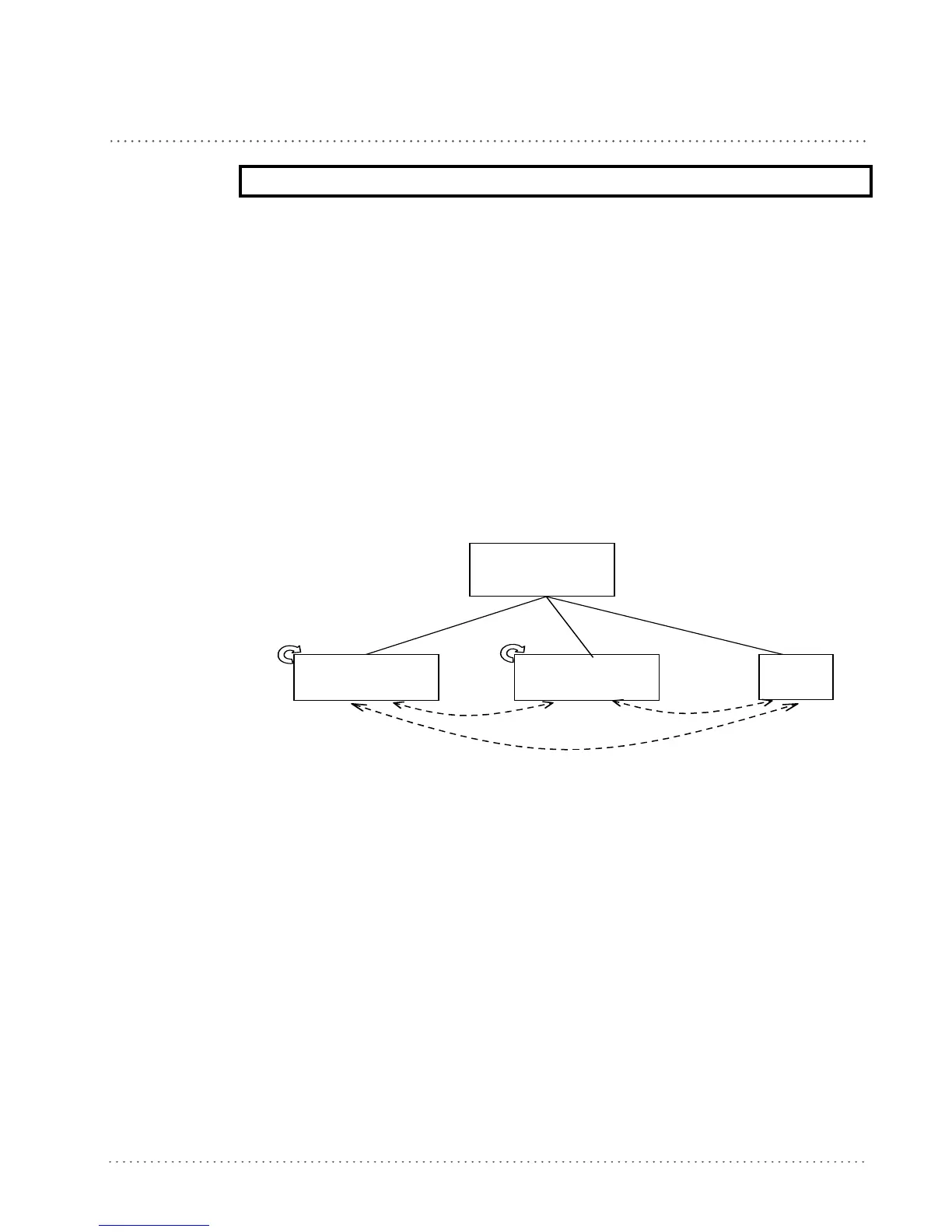
Method 1 allows extracting one or more fields by position or by characters from the decoded
barcode. These fields are sent to the host computer as data of the output message, while the
characters not included in the formatting procedure will be deleted and not inserted in the
output message.
These two kinds of extraction (by position / by character) can be used together within the same
format definition; furthermore, it possible to complete the new format by adding a new strin
g of
characters. Since there is no fixed rule, the procedures can be freely put in order and repeated
according to your requirement.
The only limit is determined by the size of the inte
rnal reserved memory used to define the
format.
Begin Form at
D efinition 1, 2, 3, 4,
or 5
Add
new
string
Extraction by
Characters
E xtraction by
Position
Add
dd
Add
dd
dd
STEP 2. FORMAT DEFINITION






 To Next Page