EasyManua.ls Logo

Datalogic Gryphon GFS4500 - User Manual

Datalogic Gryphon GFS4500
52 pages
Print Icon
To Next Page IconTo Next Page
Loading...
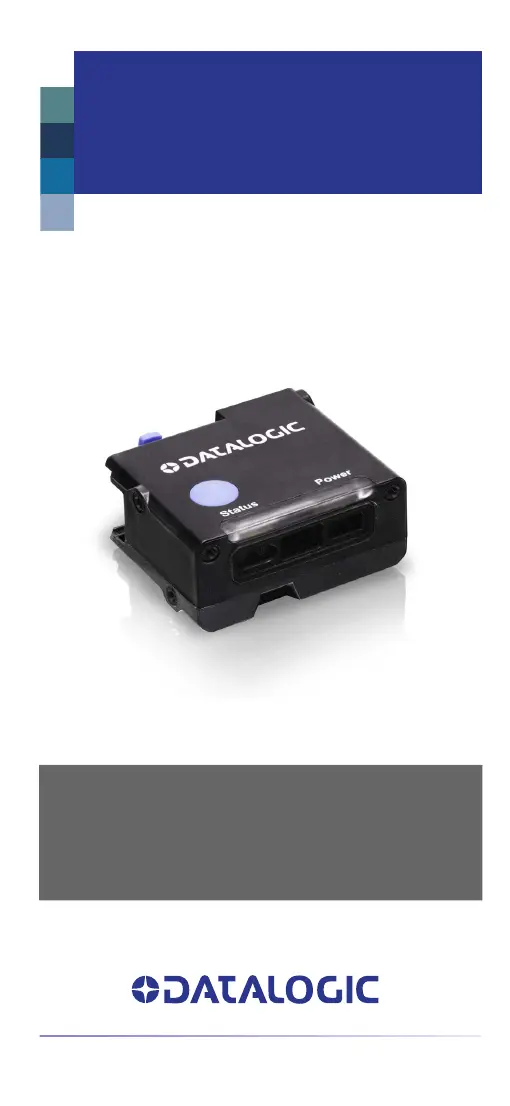
Gryphon™ I
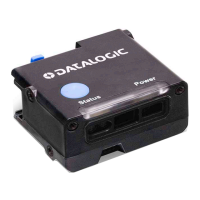
GFS4500
QUICK REFERENCE GUIDE
Fixed Mount Area Imager
Bar Code Reader

Questions and Answers

  • M
    Mr. Sean GarciaAug 7, 2025
    What to do if the Datalogic Gryphon GFS4500's LED is on, but the barcode isn't decoded?
    • K
      Kevin TrevinoAug 7, 2025
      If the status LED is lit but your Datalogic Barcode Reader isn't decoding barcodes, the issue could be due to several reasons: 1. The reader might not be programmed to read that particular barcode type. 2. The barcode label might be damaged or unreadable. Check the label for any damage and try scanning a different barcode. 3. The distance between the reader and the barcode could be incorrect. Try moving the imager closer to or further away from the barcode.
  • D
    danielle56Aug 17, 2025
    Why does nothing happen when I push the scan button on my Datalogic Barcode Reader?
    • R
      Randy ShannonAug 17, 2025
      If nothing happens when you push the scan button on your Datalogic Barcode Reader, there are a couple of potential causes: * The imager might not be getting power. Check the system power and make sure the power supply is properly connected. * The interface or power cables could be loose. Make sure all cable connections are securely in place.
  • J
    johnperezAug 27, 2025
    How to fix a Datalogic Gryphon GFS4500 that decodes the barcode but doesn't transmit it to the host?
    • R
      robert82Aug 27, 2025
      The Datalogic Barcode Reader might decode the barcode but not transmit it to the host if it isn't programmed for the correct host type. Scan the appropriate host type barcode.

Summary

Gryphon GFS4500 Product Overview

Key Features and Durability

Highlights durability, IP54 sealing, UV protection, and advanced sensor technology for reading performance.

Setting Up the Gryphon GFS4500 Reader

Reader Component Identification

Identifies key parts of the GFS4520 model, including LEDs, scan window, and trigger.

Connecting to the Host Interface

Provides guidance on connecting the reader to host systems via USB or RS-232 interfaces.

Operating the Gryphon GFS4500 Scanner

Aiming System and Green Spot Functionality

Explains the motion-sensing aiming system and the green spot indicator for successful reads.

Selecting Interface and Country Modes

Interface Type Selection

Details how to select RS-232 and USB interface types using programming bar codes.

Country Mode Settings

Specifies country/language settings for keyboard emulation via programming bar codes.

Reader Programming Options

Programming Bar Codes and Defaults

Guides on using programming bar codes for customization and resetting product defaults.

Numlock and Reading Parameter Settings

Covers Numlock configuration and settings for Aiming System and Good Read Green Spot Duration.

Operating Modes, Pick Mode, and Energy Saving

Details scanner operation modes, pick mode functionality, and energy saving configurations.

Performance Presets

Explains how to configure performance presets for different scanning needs.

Gryphon GFS4500 Technical Specifications

Physical, Environmental, and Electrical Data

Details dimensions, weight, operating conditions, and electrical characteristics.

Reading Performance, Interfaces, and Decode

Specifies sensor, FOV, motion tolerance, supported interfaces, and symbologies.

Connection Diagrams and Dimensions

Provides RS-232 pinout, I/O diagrams, and detailed GFS4500 dimensions.

Gryphon GFS4500 Status and Troubleshooting

LED and Beeper Feedback

Explains the meaning of LEDs, buttons, and beeper sounds for operational feedback.

Common Problems and Solutions

Addresses common issues like no power, no decode, or no transmission with potential causes and solutions.

Gryphon GFS4500 Warranty, Adapter, and Support

Warranty Terms and Ergonomic Advice

Details the warranty, exclusions, and provides ergonomic recommendations for safe operation.

Technical Support Resources

Guides users on obtaining assistance through the Datalogic website and authorized resellers.

Datalogic Gryphon GFS4500 Specifications

General IconGeneral
Image SensorCMOS
Print Contrast Ratio (Minimum)25%
Ambient Light0 - 100, 000 lux
ESD Protection (Air Discharge)16 kV
TechnologyImager
InterfaceUSB, RS-232
Scanning DistanceUp to 60 cm (23.6 in)
Scan Rate60 frames/sec
1D Decode CapabilityAll standard 1D codes including GS1 DataBar
2D Decode CapabilityAztec Code, Data Matrix, QR Code, Micro QR
Stacked CodesPDF417, MicroPDF417
Operating Temperature32°F to 122°F (0°C to 50°C)
Storage Temperature-20 to 70 °C / -4 to 158 °F
Humidity (Non-Condensing)5 - 95%
Light SourceLED
Reading Angle360°
Input Voltage5 VDC ±5%
Power SupplyUSB or external power supply
Cable Length2 m (6.56 ft)
LightingLED
Supported Barcodes1D and 2D barcodes

Related product manuals