EasyManua.ls Logo

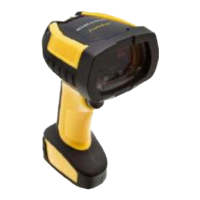
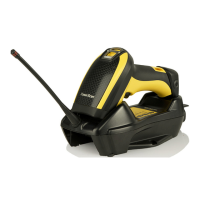
Datalogic PowerScan PM96 Series - User Manual

Datalogic PowerScan PM96 Series
360 pages
Print Icon
To Next Page IconTo Next Page
Loading...
L
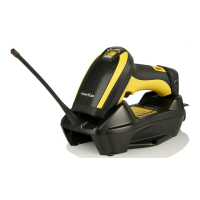
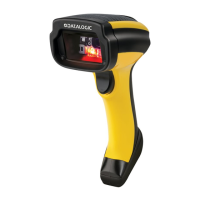
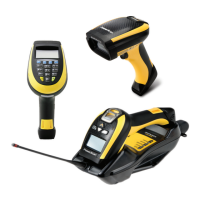
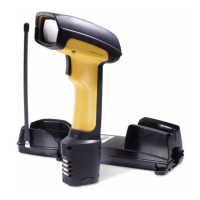
PowerScan™ Family
PD/PM96XX
PRODUCT REFERENCE GUIDE
Industrial Corded and Cordless Handheld
Area Imager Bar Code Reader

Table of Contents

Questions and Answers

  • K
    Kimberly MooreAug 8, 2025
    What to do if Datalogic Barcode Reader LED is on but barcode doesn't decode?
    • T
      Tara MurphyAug 8, 2025
      If the LED is on, but the bar code doesn't decode, it could be due to several reasons: * The reader might not be programmed for the correct bar code type. In this case, ensure the reader is programmed to read the type of bar code scanned. * The bar code label may be unreadable. Check the label to ensure it is not defaced. You can also try scanning another bar code type. * The distance between the reader and the bar code might be incorrect. Try moving the reader closer to or further from the bar code.
  • J
    Joseph CaldwellAug 13, 2025
    Why Datalogic Barcode Reader does nothing when I pull the scan button?
    • W
      William LittleAug 13, 2025
      If nothing happens when you pull the scan button on your Datalogic Barcode Reader, the issue might be due to: * No power to the reader. Check the system power and ensure the power supply is connected. * Loose interface or power cables. Make sure all cable connections are secure.
  • Z
    Zoe ZunigaAug 17, 2025
    What to do if Datalogic Barcode Reader LED is on but barcode won't decode?
    • J
      Joseph VelasquezAug 18, 2025
      If the LED is on but the barcode doesn't decode, it could be due to several reasons: * The reader might not be programmed for the correct barcode type. Ensure the reader is programmed to read the type of barcode you are scanning. * The barcode label may be unreadable. Check the label to ensure it is not damaged. You can also try scanning another barcode. * The distance between the reader and the barcode might be incorrect. Try moving the reader closer to or further away from the barcode.
  • A
    Andrea RomeroAug 23, 2025
    Why Datalogic Barcode Reader doesn't work when I pull the scan button?
    • J
      Jennifer GonzalezAug 23, 2025
      If nothing happens when you pull the scan button on your Datalogic Barcode Reader, it could be due to the following reasons: * There may be no power to the reader. Check the system power and ensure the power supply is connected. * The interface or power cables might be loose. Ensure all cable connections are secure.
  • A
    April MarshAug 28, 2025
    How to fix Datalogic Barcode Reader that decodes but doesn't transmit to host?
    • S
      Shane SimmonsAug 28, 2025
      If the bar code is decoded but not transmitted to the host, the Datalogic Barcode Reader may not be programmed for the correct host type. To resolve this, scan the appropriate host type bar code.
  • V
    vgutierrezSep 2, 2025
    What to do if Datalogic Barcode Reader decodes but doesn't transmit to the host?
    • J
      Jeff AdamsSep 2, 2025
      If the barcode is decoded but not transmitted to the host, the reader might not be programmed for the correct host type. Scan the appropriate host type barcode to resolve this.

Datalogic PowerScan PM96 Series Specifications

General IconGeneral
IP ProtectionIP65
TypeHandheld Barcode Scanner
ConnectivityBluetooth
Operating Temperature50°C
BatteryLithium-Ion, 3250 mAh
Supported BarcodesQR Code, Data Matrix
Humidity95% (non-condensing)
Power Supply5 VDC
Decode Capability1D and 2D barcodes

Related product manuals