ISO MAX V Manual – v. 1.2 – july 2012 21
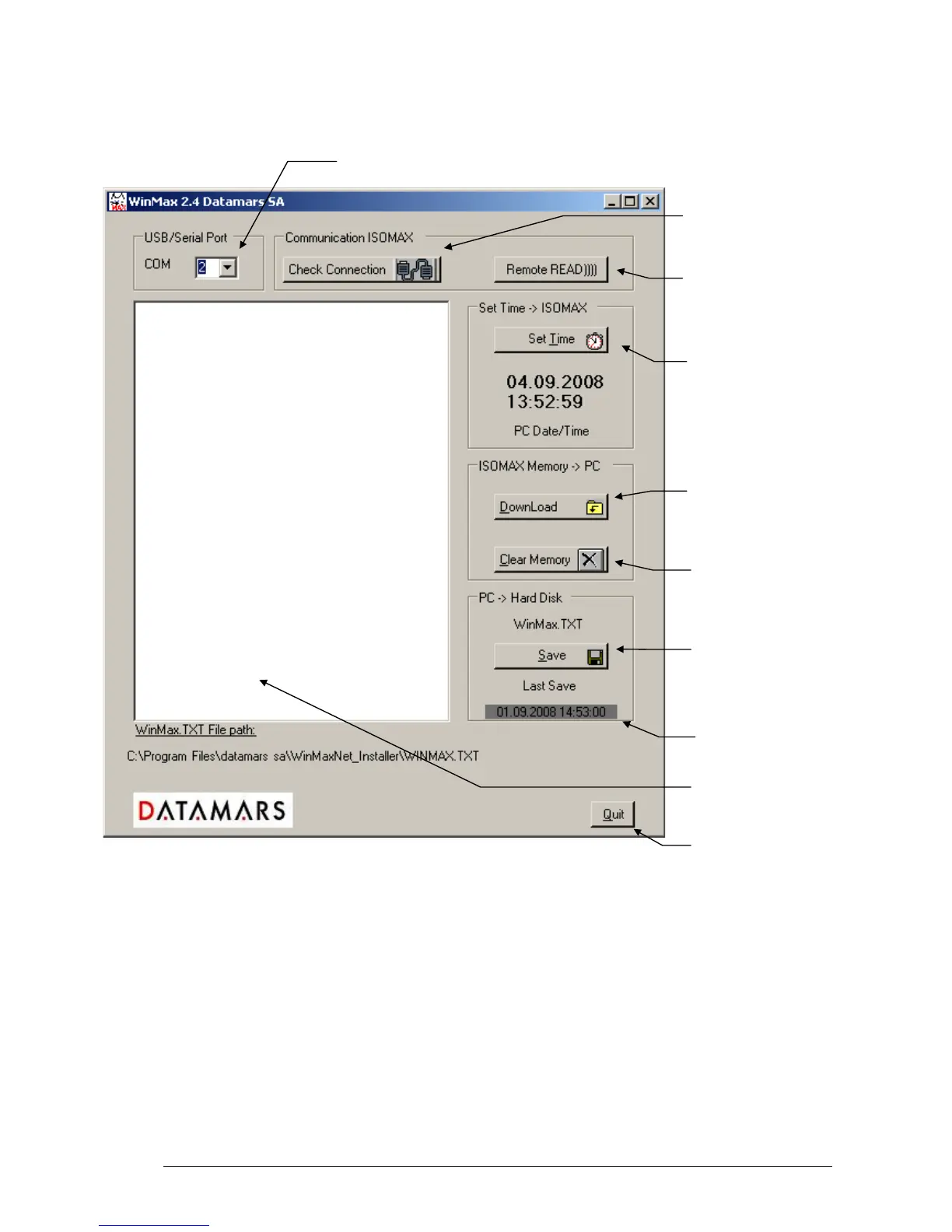
1. First select USB/Serial Port.
2. Check Connection is used only to check if the ISO MAX is connected, to test if the link is
communicating properly. When the communication is correct, the terminal indicates: ISO MAX
V vx.x.
3. Remote READ)))) is used if the user desires to initiate a read transponder from the PC.
4. Set Time will get the PC date & time and send it to the ISO MAX.
5. DownLoad will download the ISO MAX memory into the terminal. All the transactions are
displayed in the terminal. All this information can be edited and modified if necessary. Use the
scroll bar to browse up and down.
6. Clear Memory will erase the ISO MAX memory.
7. Saves data from the WinMax
terminal in the PC hard disk.
The file is named WinMax.TXT.
WinMax.TXT is in ASCII format.



 To Next Page