ISO MAX V Manual – v. 1.2 – july 2012 7
3.3 Memory functions
In the ‘memory functions’ menu you find various features and functions.
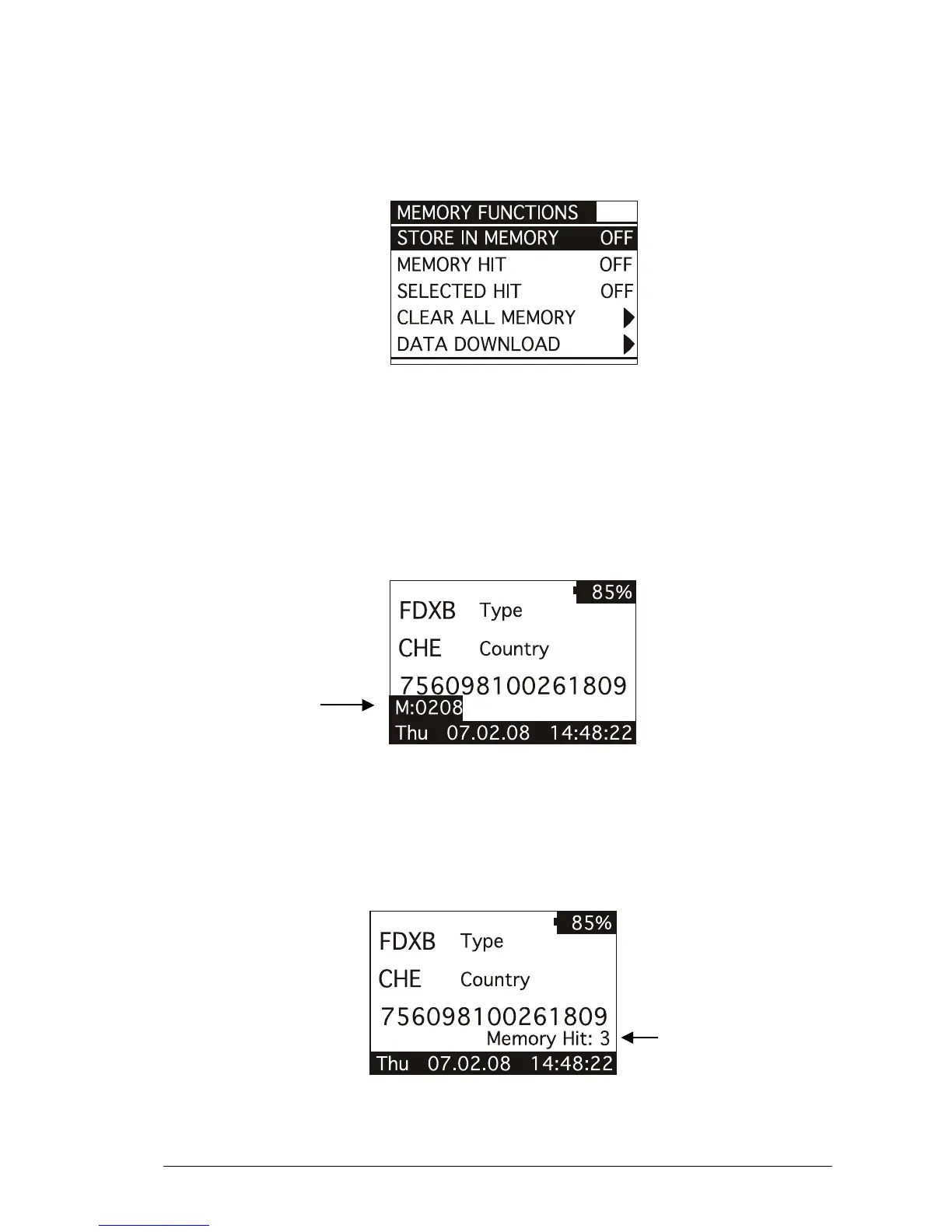
The following figure shows the ‘memory functions’ menu:
You can scroll through the ‘memory functions’ by pressing the UP or DOWN button. You can
change the parameter highlighted by pressing the LEFT or RIGHT button.
3.3.1 Store in memory
The ‘store in memory’ function enables or disables the function to store ID codes read in the
memory. When this function is OFF the reader does not record an ID code in the memory.
While is ON, it stores the data into the memory.
The following figure shows the store in ‘memory function’ enabled:
3.3.2 Memory hit
The memory hit function counts and shows on the display how many times the current ID code
read is present in the memory. When this function is OFF the reader does not show anything.
While it is ON, it shows the ‘memory hit’ counter on the display.
The following figure shows the memory hit function enabled:



 To Next Page