ISO MAX V Manual – v. 1.2 – july 2012 4
2 Operation
Although the ISO MAX V has been designed to plug and play, we recommend you read this manual
carefully in order to take advantage of all its useful features and functions.
2.1 Switch on/off the ISO MAX V
Slide your hand between the base unit and the handle. Use your thumb to press the START
button, which is located on the upper left corner of the panel.
The display shows the following start-up figure:
Under the Datamars logo, you can see the name of the reader and the firmware version.
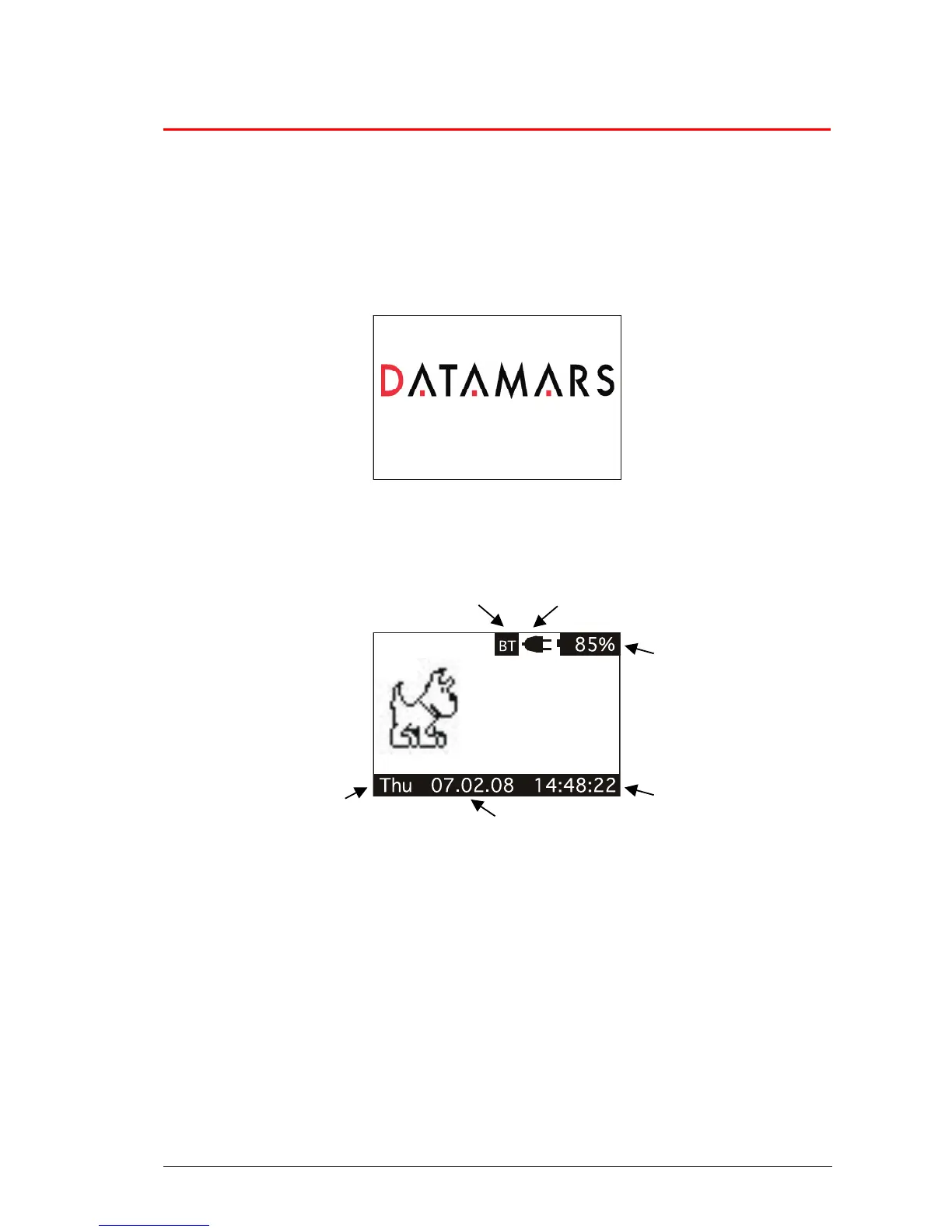
After a few seconds the main screen shot appears:
1. Check the battery level, which should be more than 6% vitality to read a transponder.
The battery level shows the discharge level as well as the charge level during charge mode.
2. While the reader is connected to the power net, in charging mode, the reader disables the
reading mode; therefore it is not possible to read a transponder. The other functions are fully
active.
3. Clock time is in 24 hour mode.
4. Date format can be selected between EU/US.
5. Week day.
6. Bluetooth connection established and ready to use.
In order to manually switch off the reader, press the DOWN arrow.
The reader has also an automatic shutdown function activated after a period of non-use (default: 2
minutes).



 To Next Page