DI-2108 Hardware Manual
Controls, Indicators, and Connections
22
Channel 9 records and displays all the digital inputs, even the state of the Rate and Count inputs if those channels are
enabled. With Channel 9 selected in the display window click Scaling > Digital Plot to show a digital display and
make the data more meaningful on screen.
General Purpose Digital Outputs
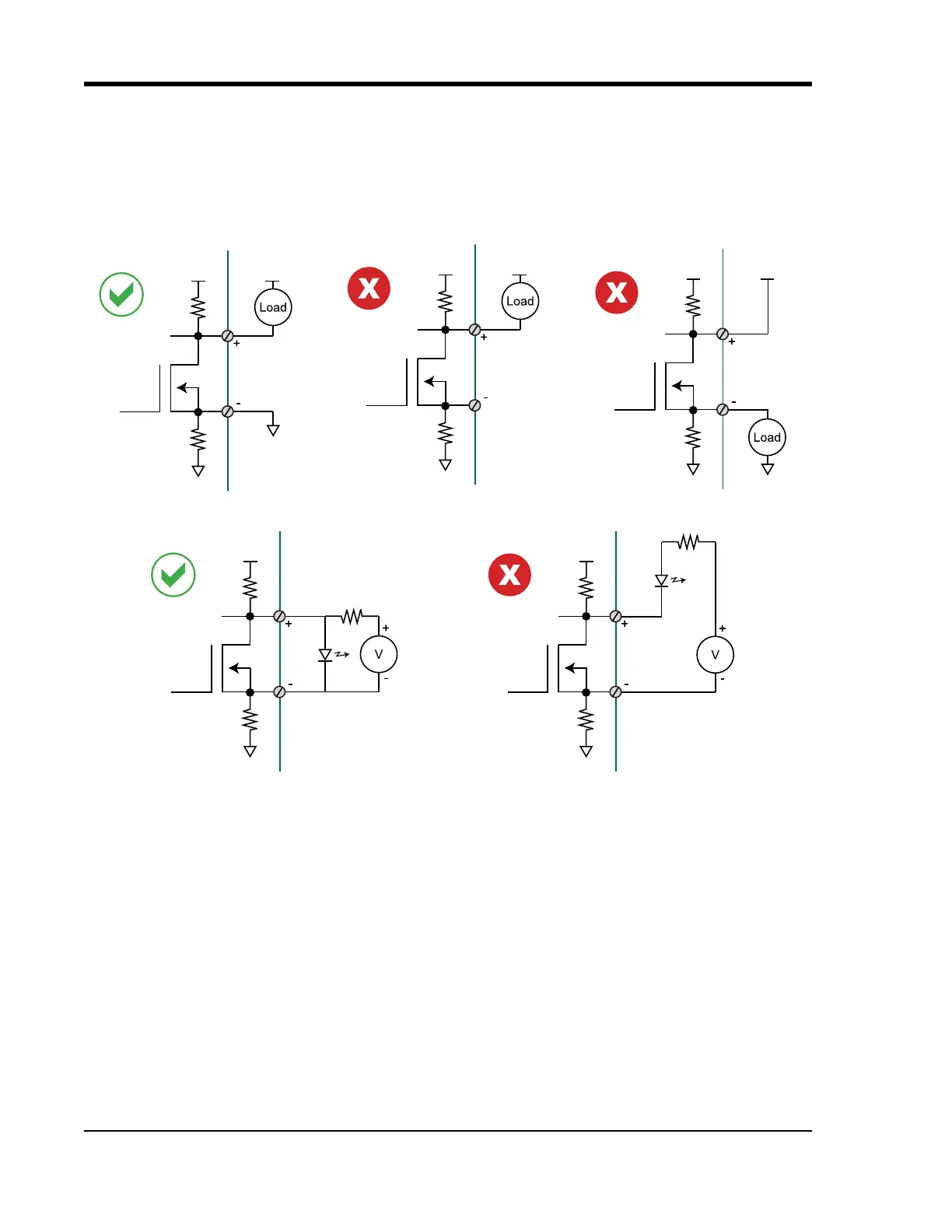
Take care when configuring the load to be switched to ensure that the digital port is not damaged:
Dx
+5 +V
Dx
+5 +V
Dx
+5 +V
Dx
+5
Dx
+5



 To Next Page