DI-2108 Hardware Manual
Controls, Indicators, and Connections
24
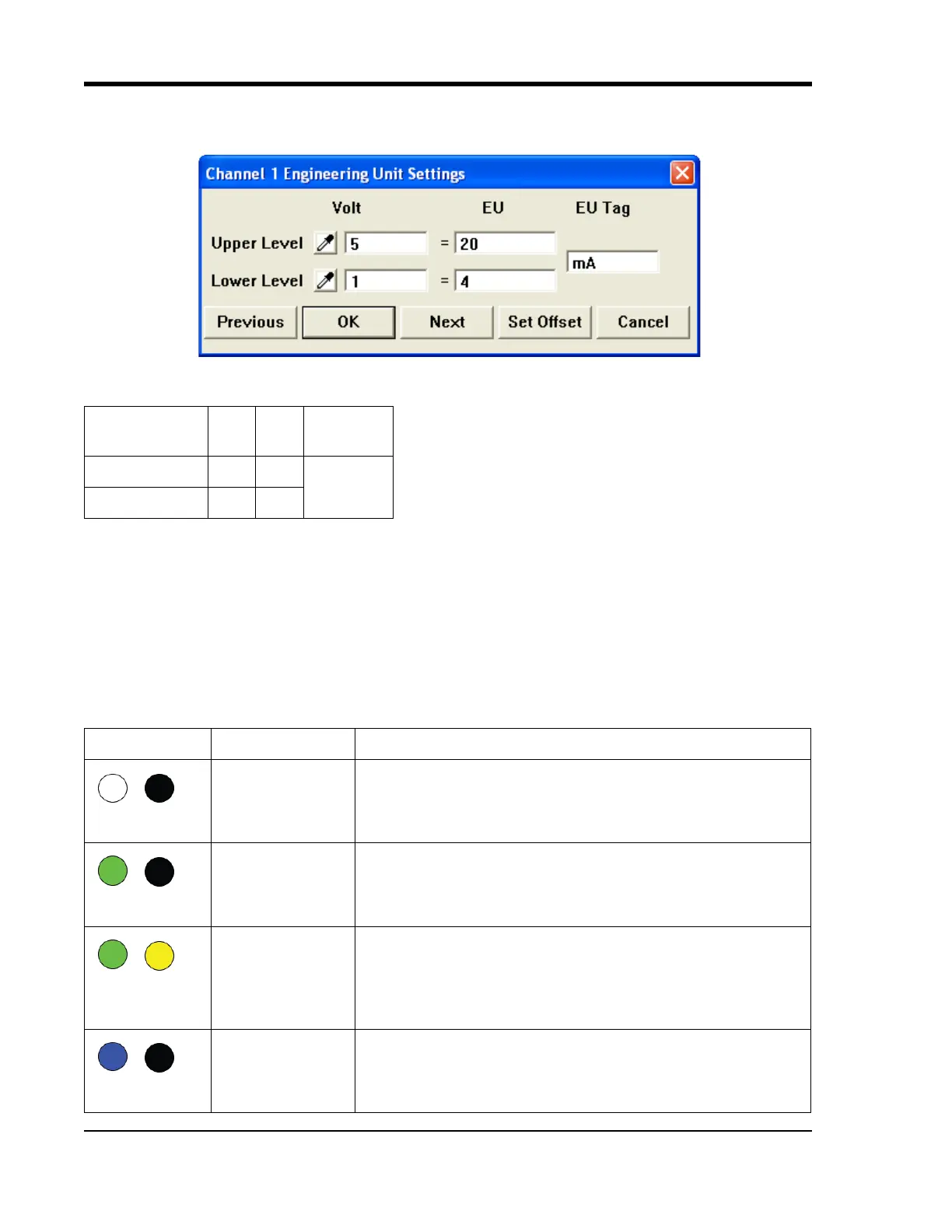
Set the engineering units as desired and define upper/lower levels in WINDAQ as 1V = 4mA for the low value and 5V
= 20mA for the high value. For example, when using W
INDAQ Acquisition software, in the EU Settings dialog box:
Enter the following values:
Visit our website at http://www.dataq.com/blog/data-acquisition/4-20-ma-current-loop-measurements/ to address all
popular 4-20mA configurations.
You can also associate these values to a physical measurement such as pressure, load, flow, torque, etc. Read the Help
files for more information regarding Engineering Units Settings.
LED Status Indicator
The DI-2108 provides a multicolor LED for instrument status and notification. Use the table below for a detailed
description of each available state.
Vol
t
EU EU Tag
Upper Level 520
mA
Lower Level 14
State Mode Description
Connecting The device is looking for a connection to your PC or USB thumb
drive. It will check the USB interface first, then the USB thumb drive.
Once a connection is established the device will enter Idle mode.
Blinking White
Idle
USB Connected
The device is connected to and communicating with your PC through
the USB port. The USB thumb drive and Ethernet port are not accessi-
ble.
Blinking Green
Idle
USB Drive Con-
nected
The is in Stand-alone mode. The USB interface is not accessible.
Blinking Green/
Yello w
Acquiring Data
to PC via USB
Interface
WinDaq Acquisition Software is running and the device is acquiring
data to your PC via the USB interface.
Blinking Blue



 To Next Page