DI-2108 Hardware Manual
Controls, Indicators, and Connections
17
WINDAQ Remote Storage (D1 Record)
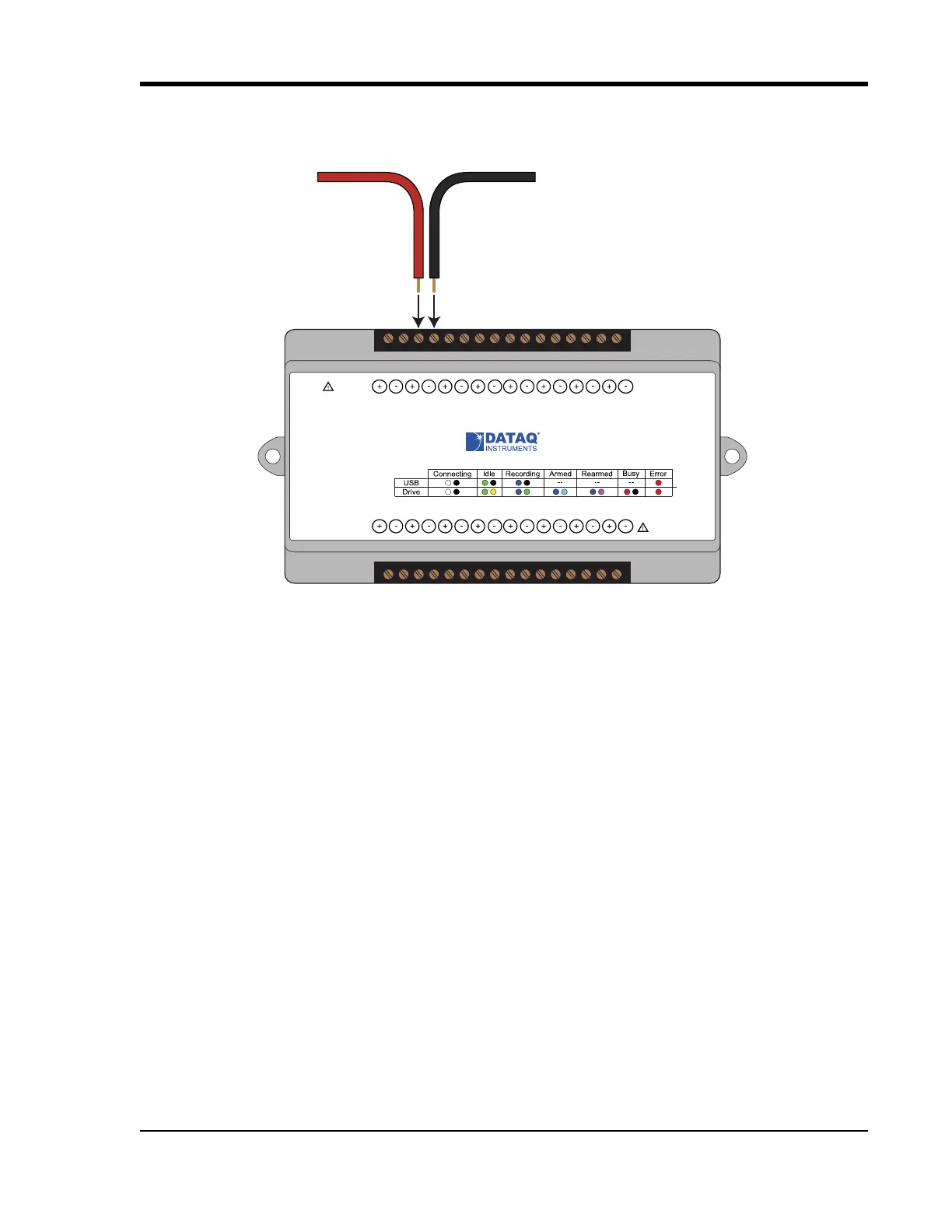
To use a switch closure or TTL signal to begin recording data remotely, connect signal leads to the appropriate
Remote Control Record terminals on the DI-2108 as shown below.
Once the switch closure or TTL signal is connected, activate Remote Storage (Record) through WINDAQ Acquisition
Software. Storage to Disk may be automatically placed on the rising or falling edge of the trigger signal. Use the
menu command Options > Remote Storage 1 to set W
INDAQ to begin recording on low-to-high transitions of the
Record input. Use the menu command Options > Remote Storage 0 to set W
INDAQ to begin recording on high-to-
low transitions of the Record input.
WINDAQ Rate (D2 Rate)
Enable channel 10 to record Rate, or the number of falling-edge transitions per unit of time that are applied to this
input. Click on Edit > Channels in the W
INDAQ Acquisition menu to open the Channel Selection grid. Channel 10 is
Status
D0 D1 D2 D3 D4 D5 D6
Model DI-2108
USB
Button
+5V GnD
CH8
CH7CH6
CH5CH4CH3CH2CH1
±100V Max
0-25V Max
CountRateRecordEvent
Drive
www.dataq.com
±10V F.S.
Signal +
Signal -



 To Next Page