11
INSERTING/REPLACING THE HARD DRIVES IN
THE RAID SYSTEM
To assemble the RAID System, please follow the steps listed in the instructions
below:
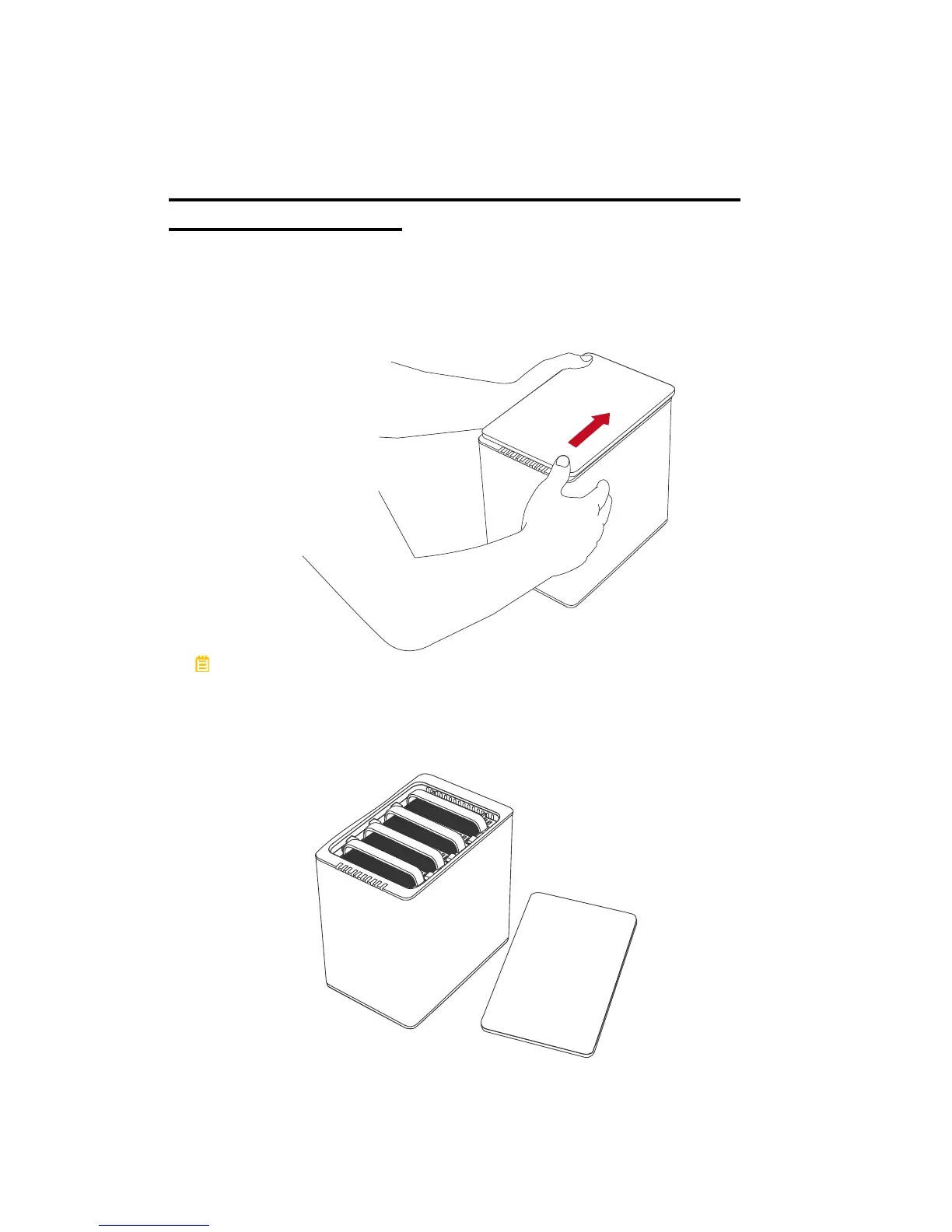
1. Place the RAID System with its Front View facing you. Position both hands
on the top lid, one in the front and one in the back. Simultaneously, push the
lid in the direction away from you, front to back, using your thumbs.
A “click” sound would indicate release of the top lid’s security clasp.
2. Lift the top lid up to remove and expose the Top View (or Disk Slots).
Remove the Handles from the RAID System itself and locate the HDD Screws
in the packaging box.



 To Next Page