24
SSD SMARTGUIDER KIT: Installation
To assemble the SSD SmartGuider Kit onto a SSD, please complete the
following steps listed below:
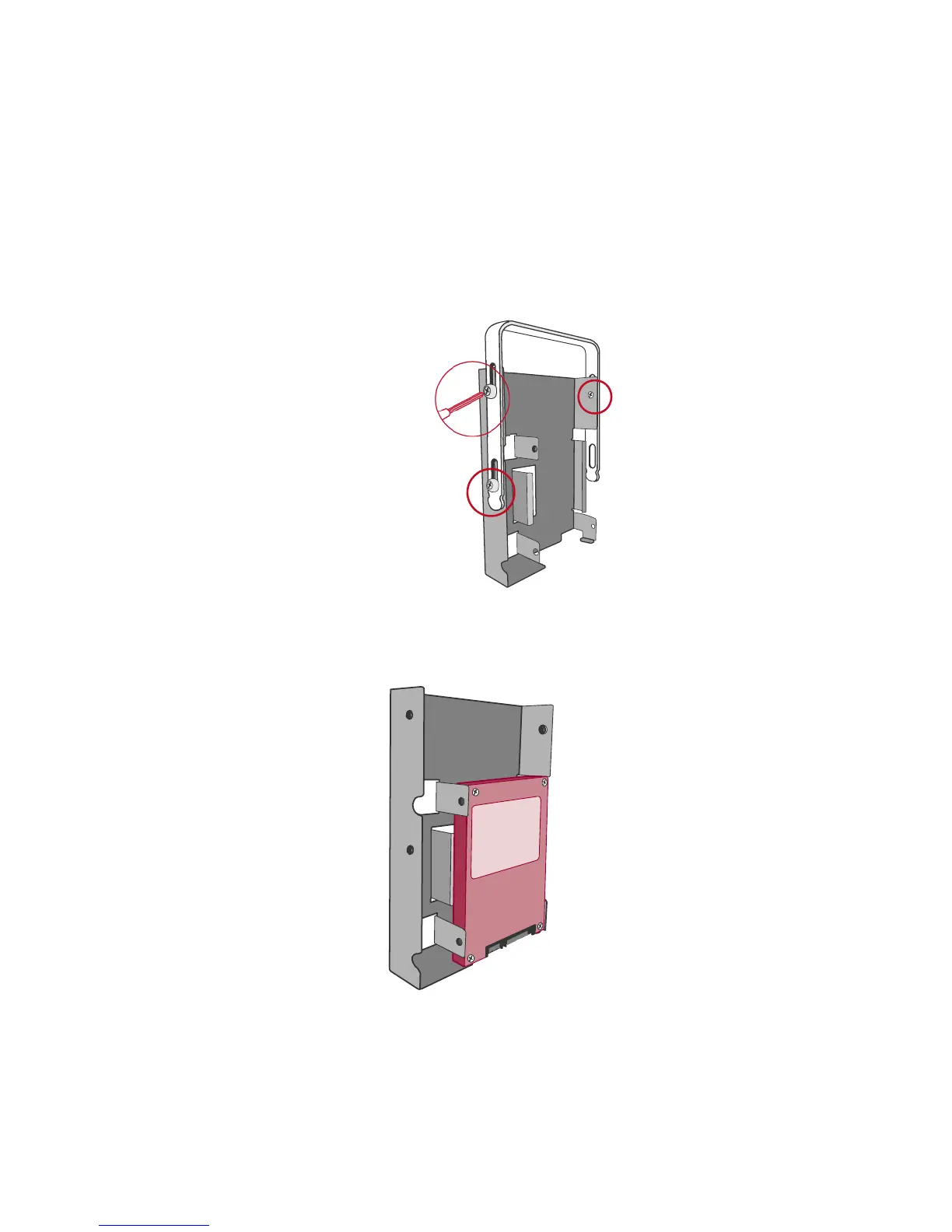
1. First, remove the Handle from the SSD Bracket by untightening the three (3)
larger Handle Screws, included in the package.
2. Second, place the SSD (the interface connectors oriented toward the opening
away from the Handle) into the SSD Insert on the SSD Bracket and align it
with the SSD Screw’s hole openings.
Connector



 To Next Page