45
Disk (1, 2, 3, 4)
Indicator
Connection/
Access
Health
RAID Alert RAID Mode
Disk Error
White Red Red ALL
Data Access
White (Flash) None None ALL
Source
Disk
White (Flash) None Red (Blink)
RAID 1 and 1+0
Disk
Rebuild
Target
Disk
White (Flash)
Red
(Blink)
Red (Blink)
RAID 1 and 1+0
Fan Error
None None Red (Flash)
ALL
Disk Not
Detected
None None None
ALL
Disk Detected
White None None ALL
The difference between a flashing LED and a blinking LED is that flashing
shows slow yet long pulses, and blinking shows fast yet short pulses.
Due to the chipset design, the LED Indicators WILL NOT be able to display
any status alerts for Disk Error and Rebuild process when the RAID MASTER is
CLOSED. Hence, if prefer to receive all alerts and monitor all features via LED
Indicators, please keep the RAID MASTER "ON" at all times. Nevertheless, this
will not affect any of the RAID MASTER operations and functions.
RAID MASTER
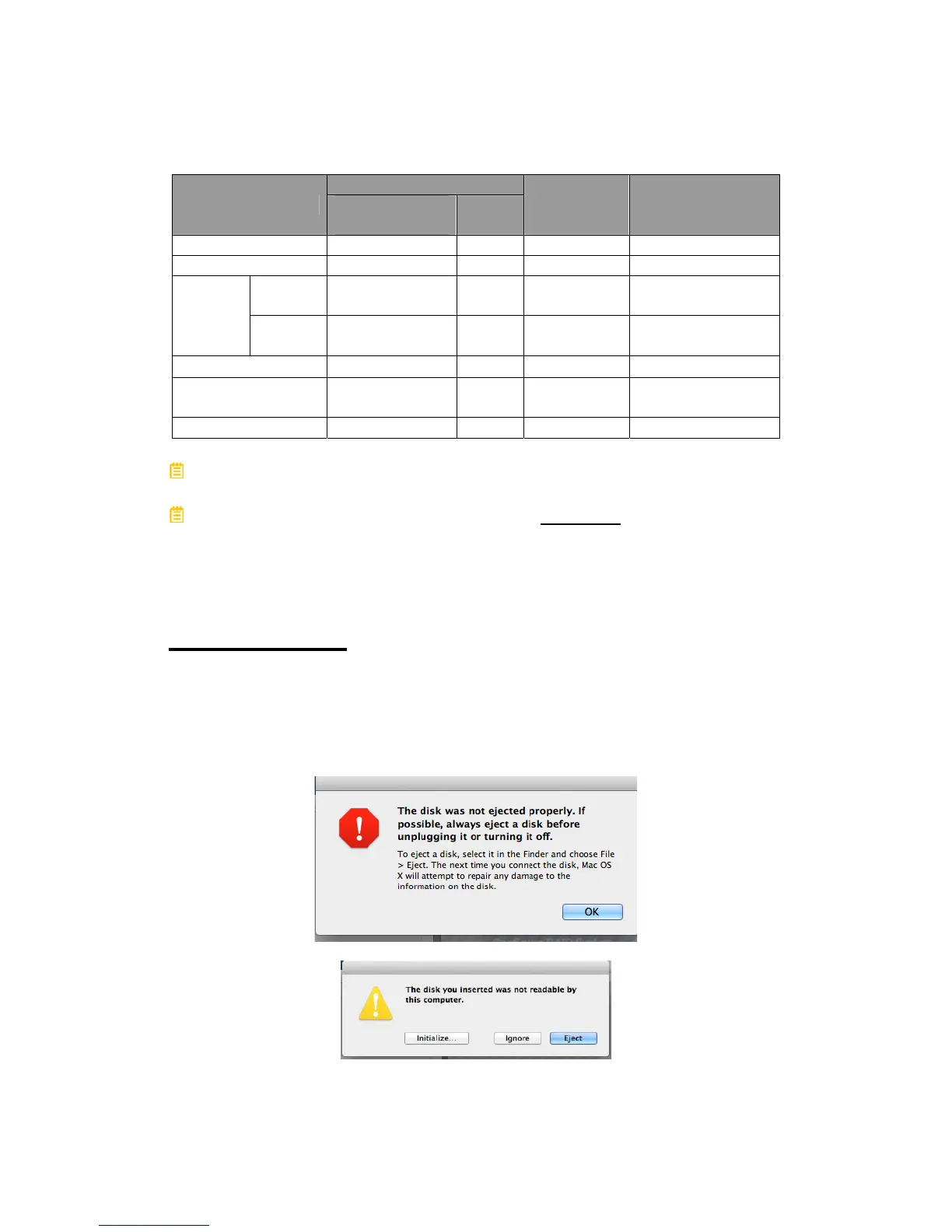
POPUP WINDOWS
¾ EJECTED
Either Popup Windows may appear as a warning whenever a RAID Set is
created, deleted, or rebuild. It may also appear if any of the inserted
Disk(s) have become “non-functional”.



 To Next Page