14
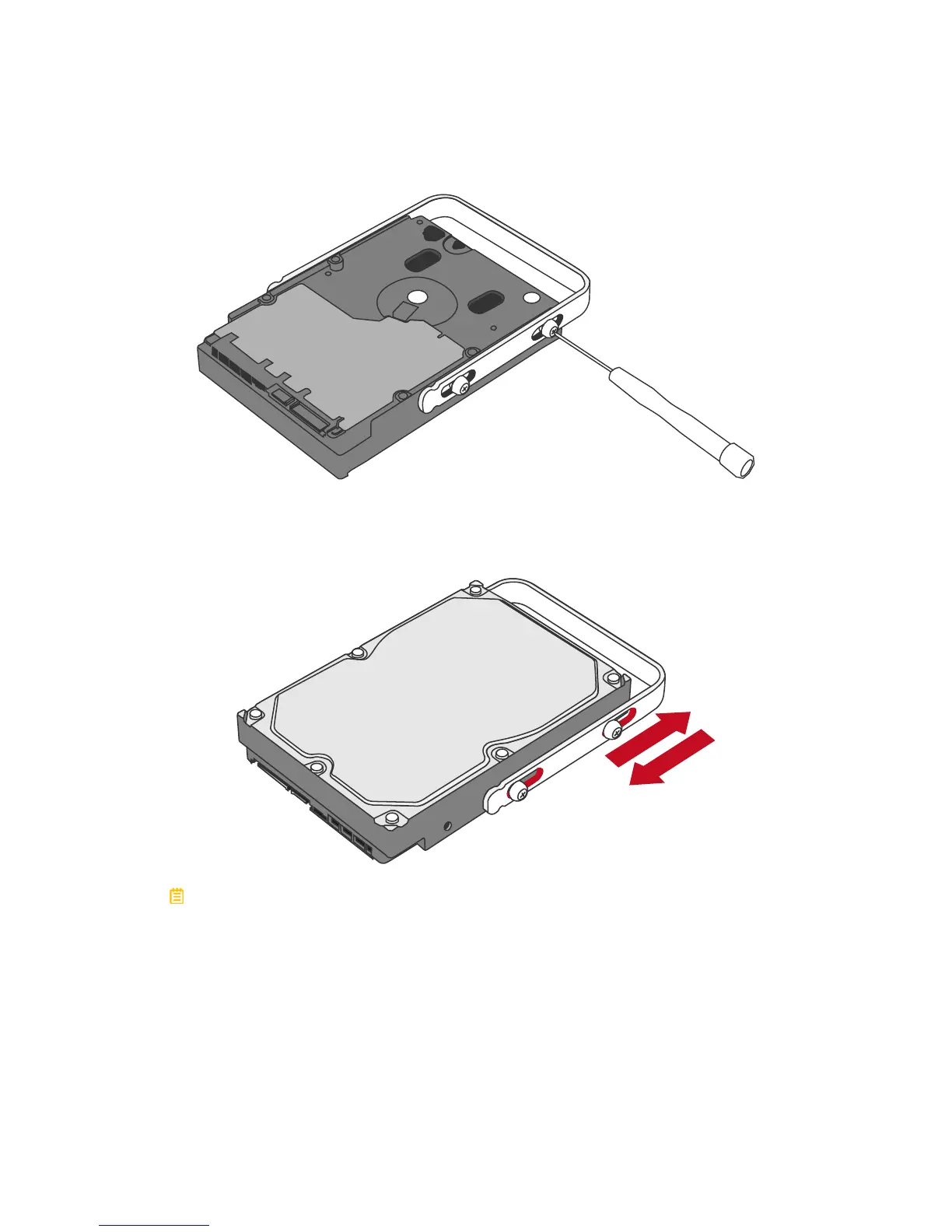
7. Insert and tighten the HDD Screws, the left one first, then the right one.
Left
Right
8. Finally, test sliding the Handle to make sure that the holes glide smoothly on
the HDD Screw guides and the HDD SmartGuider Kit is completed! Repeat
the same procedures for rest of the hard drive(s) if necessary.
The auto-limiting segmented screws are designed to prevent the hard drives
or/and the handles from damages due to over-tightening. Furthermore, this
design makes the handle slide easily without any tightness.



 To Next Page