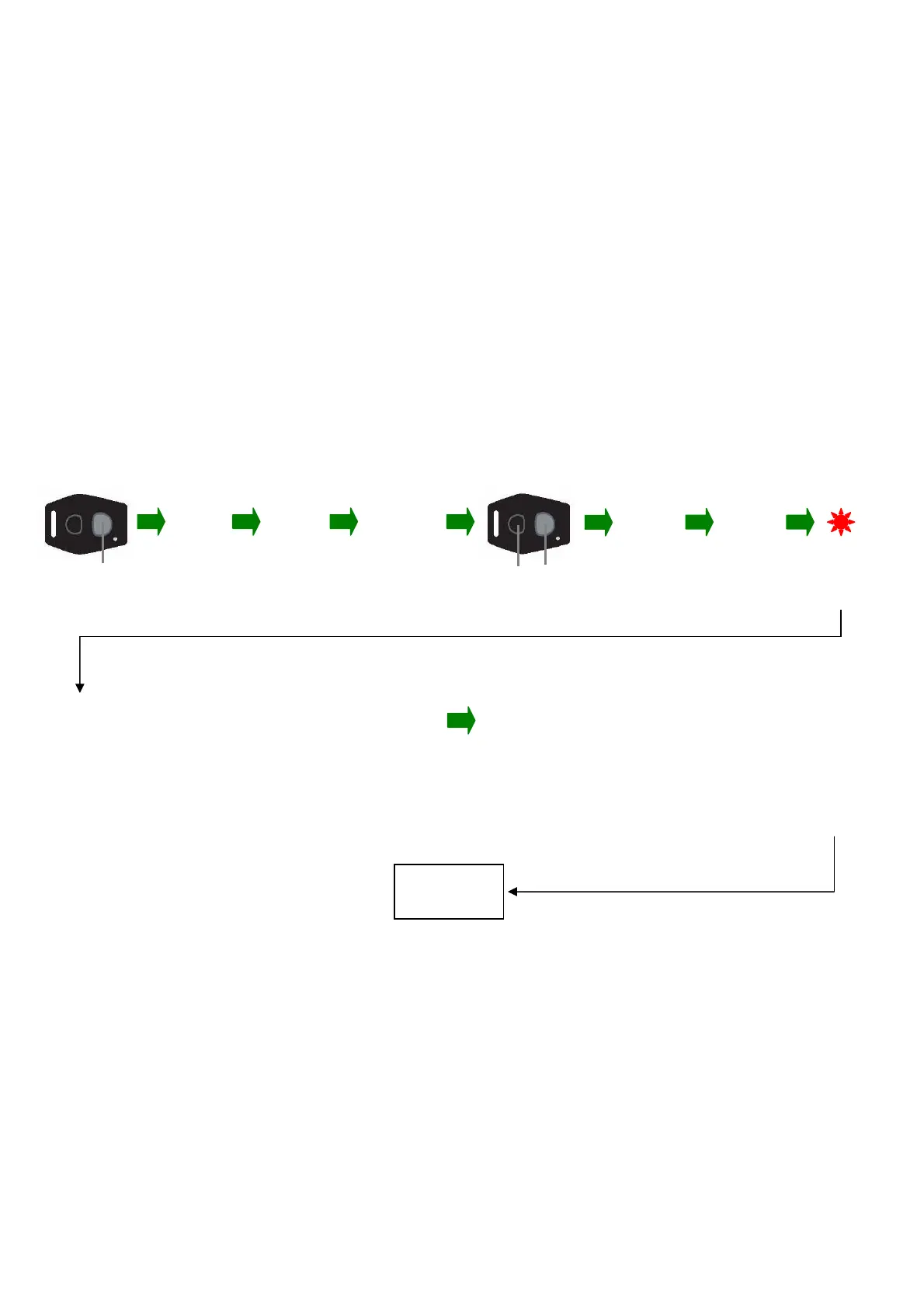
Entering a PIN number
Coding new transmitters, changing siren tones, passive arming selection
And movement/shock adjustment
Press GREY button
Ignition
ON
Ignition
OFF
Ignition
ON within
5 seconds
Ignition
ON
Ignition
OFF
LED on bike
Flashes rapidly
For 3 seconds
Press both buttons
Simultaneously within 10 seconds
Confirmation bee
3 seconds
To set
first digit
One beep/
flash
To set
second digit
Ignition ON
Four beeps/
flashes
Ignition OFF
To set
third digit
Ignition ON
Two beeps/
flashes
Ignition OFF
To set
fourth digit
Ignition ON
Six beeps/
flashes
Ignition OFF
1000
1400 1420 1426
To confirm
third digit
Ignition ON
Two beeps/
flashes
Ignition OFF
To confirm
second digit
Ignition ON
Four beeps/
flashes
Ignition OFF
To confirm
fourth digit
Ignition ON
Six beeps/
flashes
Ignition OFF
To confirm
first digit
Ignition ON
One beep/
flash
ONE LONG TONE Re
eat
rocedure to confirm new PIN
1000
1400
1420
1426
New PIN
1426
TWO SHORT TONES
3 lon
tones if incorrect confirmation
The PIN can be changed at any time by entering a new number by the above procedure
Example PIN learn
Number being learnt 1426
Annex 1


 To Next Page