33
5. Instruction for installation
Note: Only mount the bracket on formwork or concrete surface. Do NOT
mount the bracket on plasterboard.
Step 1 – DIP Switch Setting
Set the Mirror option to H+V mode.
Step 2 – One End of Retaining Wire
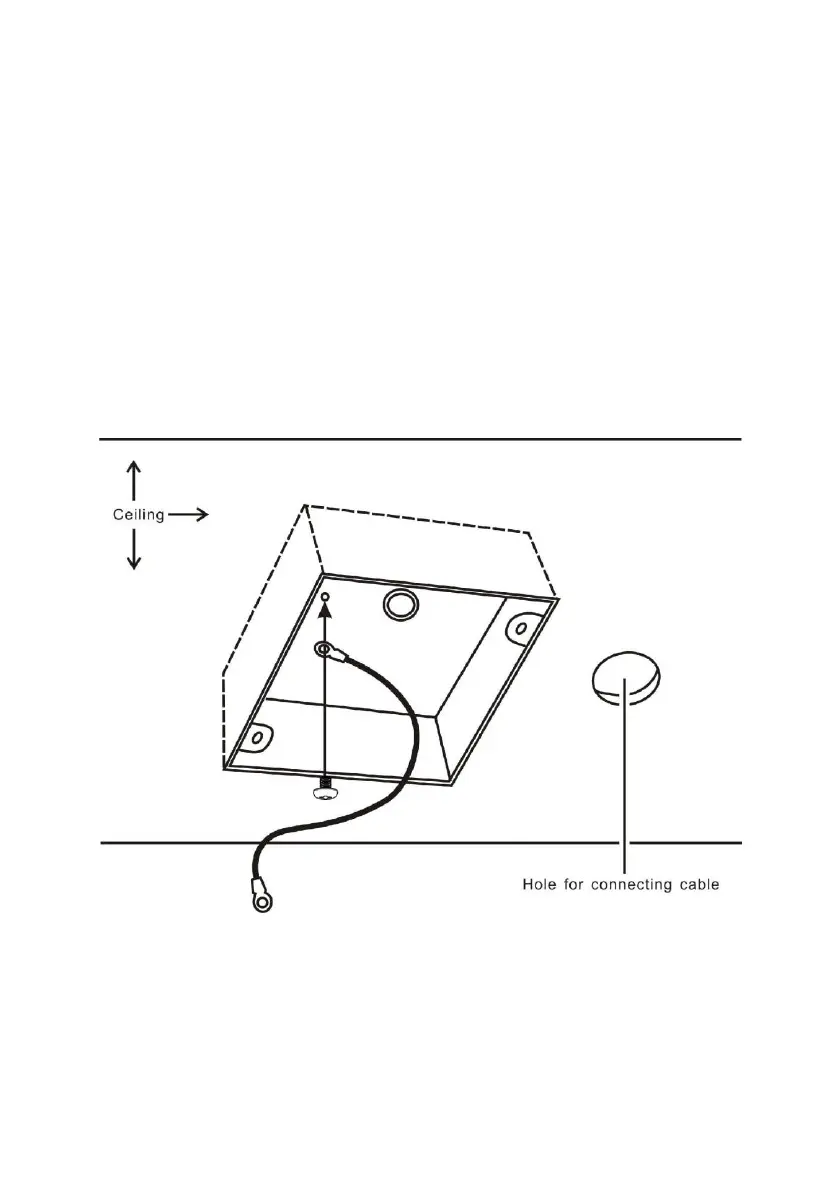
Attach the retaining wire to the junction box mounted on the ceiling by
screwing one end of the retaining wire into a screw hole in the junction box
with a screw (not supplied) as shown in the diagram below.














 To Next Page