87
13. How to Play the Multicast by the VCL Player
The RTP Multicast allows users to view the camera image remotely by specific
video player such as the VLC Player.
Please follow following steps for playing the RTP Multicast in the VLC Player.
1. Download VLC media player from the link https://www.videolan.org.
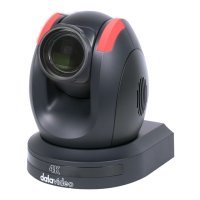
2. Open VLC, click “Media” “Open Network Stream” then enter
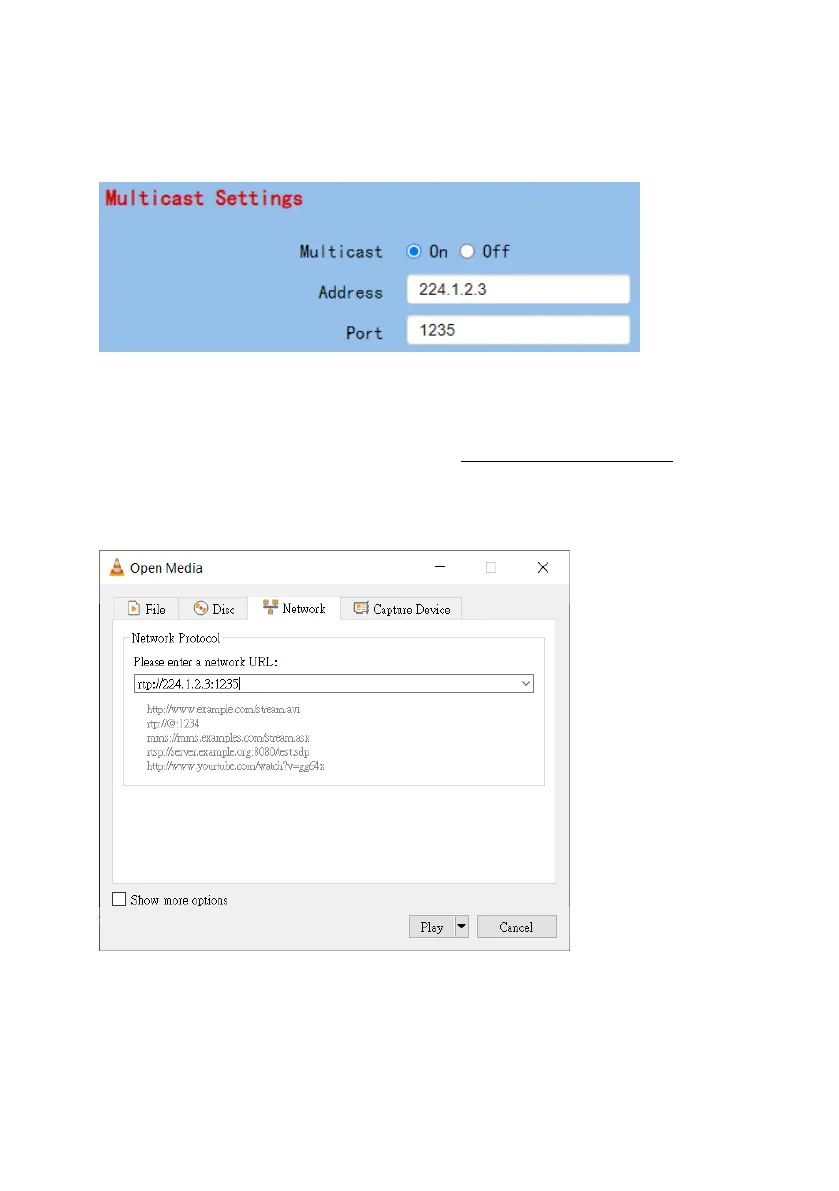
rtp://224.1.2.3:1235 to view the video streaming.
3. Click the “Play” button to start viewing the video stream.




 To Next Page