49
7.4 Multi-Person Scene Auto-Tracking Mode
When applying in the multi-person scenario, please follow the following steps
for using the “Multi-Person Scene Auto-Tracking Mode” of the PTC-285.
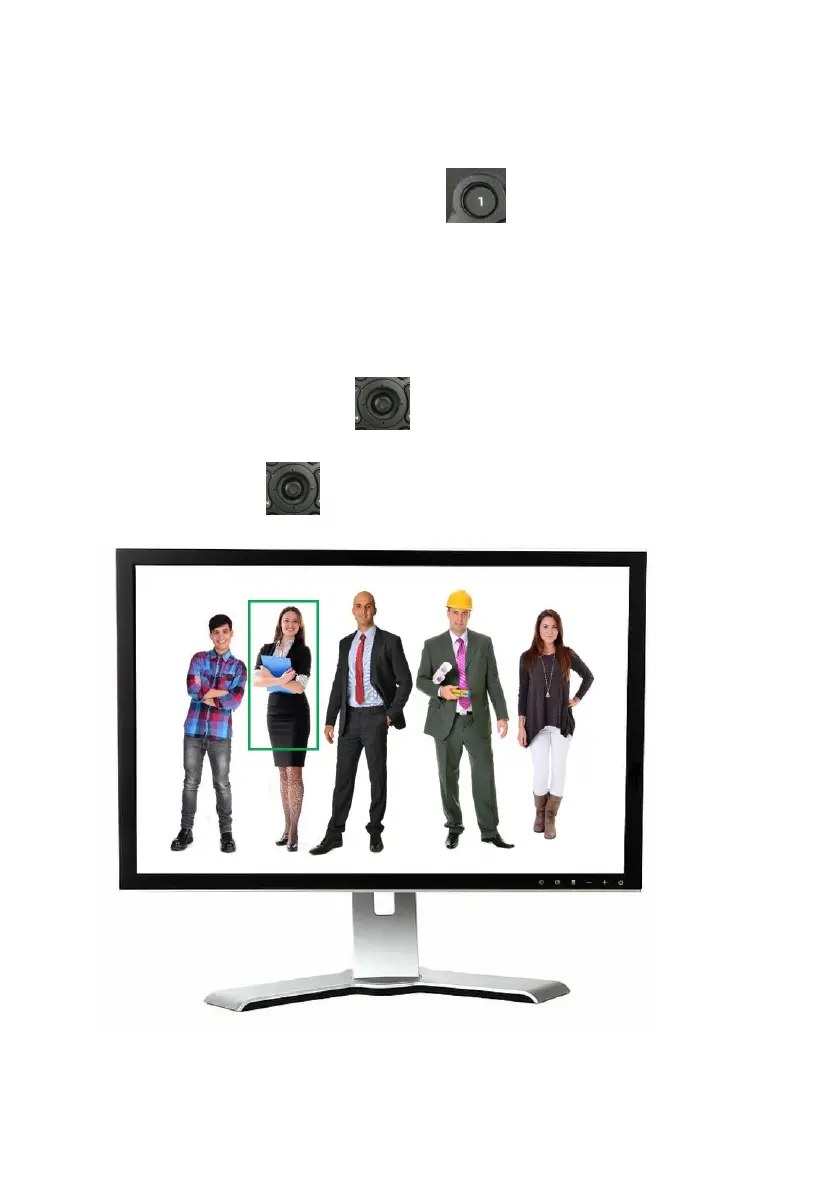
1. Please long-press the “Preset 1” button of the remote controller for
2 seconds. After the reminder “Begin Tracking” is shown on the OSD of the
external connected monitor, it means that the “Multi-Person Scene Auto-
Tracking Mode” of the PTC-285 camera is turned on successfully.
2. When tracking in the multi-person scene, there is a green frame that will be
shown on the external monitor for you to choose your desired tracking target.
Please use the “Micro Joystick” from the remote controller to select
your desired tracking target. After the tracking target is selected, please press
the “Micro Joystick” to start the tracking.


 To Next Page