EasyManua.ls Logo

Datavideo PTC-285 - Dip Switch Settings; Dip Switch Sw1

Datavideo PTC-285
132 pages
Print Icon
To Next Page IconTo Next Page
To Previous Page IconTo Previous Page
Loading...
83
11. DIP Switch Settings
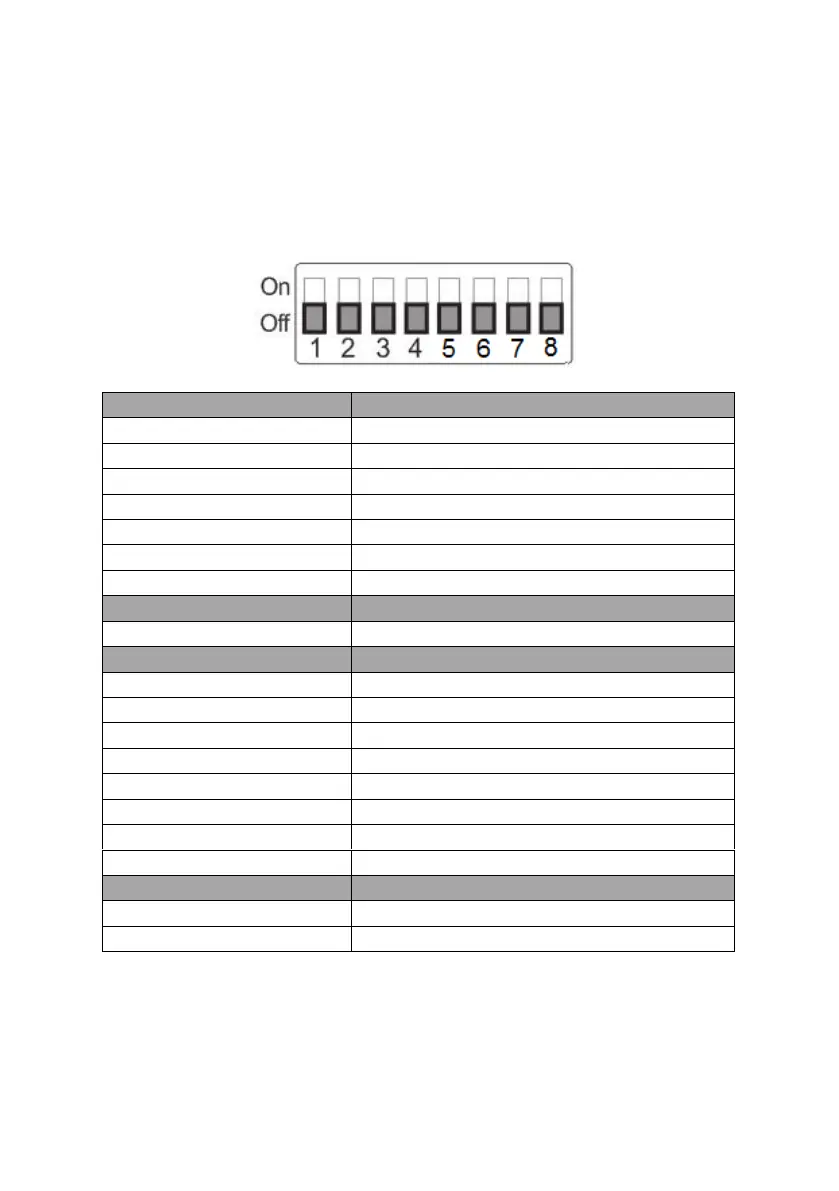
11.1 DIP Switch SW1
The DIP Switch SW1 can be found at the bottom of the camera, where the
user is allowed to set the camera’s VISCA ID, enable remote control, select the
video resolution, and configure how the video mode can be selected.
DIP SW 1/2/3
VISCA ID
(1,2,3) = (ON,OFF,OFF)
VISCA-ID 1
(1,2,3) = (OFF,ON ,OFF)
VISCA-ID 2
(1,2,3) = (ON ,ON ,OFF)
VISCA-ID 3
(1,2,3) = (OFF,OFF,ON)
VISCA-ID 4
(1,2,3) = (ON ,OFF,ON)
VISCA-ID 5
(1,2,3) = (OFF,ON ,ON)
VISCA-ID 6
(1,2,3) = (ON ,ON ,ON)
VISCA-ID 7
DIP SW 4
Remote Control Protocol
Not Connected
Not Connected
DIP SW 5/6/7
Resolution
(5,6,7) = (OFF,OFF,OFF)000
1920 x 1080i 59.94
(5,6,7) = (ON,OFF,OFF)100
1920x1080i50
(5,6,7) = (OFF,ON,OFF)010
1920 x 1080p 59.94
(5,6,7) = (ON,ON,OFF)110
1920 x 1080p 50
(5,6,7) = (OFF,OFF,ON)001
3840 x 2160p 29.97
(5,6,7) = (ON,OFF,ON)101
3840 x 2160p 25
(5,6,7) = (OFF,ON,ON)011
3840 x 2160p 59.94
(5,6,7) = (ON,ON,ON)111
3840 x 2160p 50
DIP SW 8
Video Mode Selection Method
ON
Video mode selectable by DIP switch only
OFF
Video mode selectable by menu
Table of Contents

Related product manuals