Box Contents
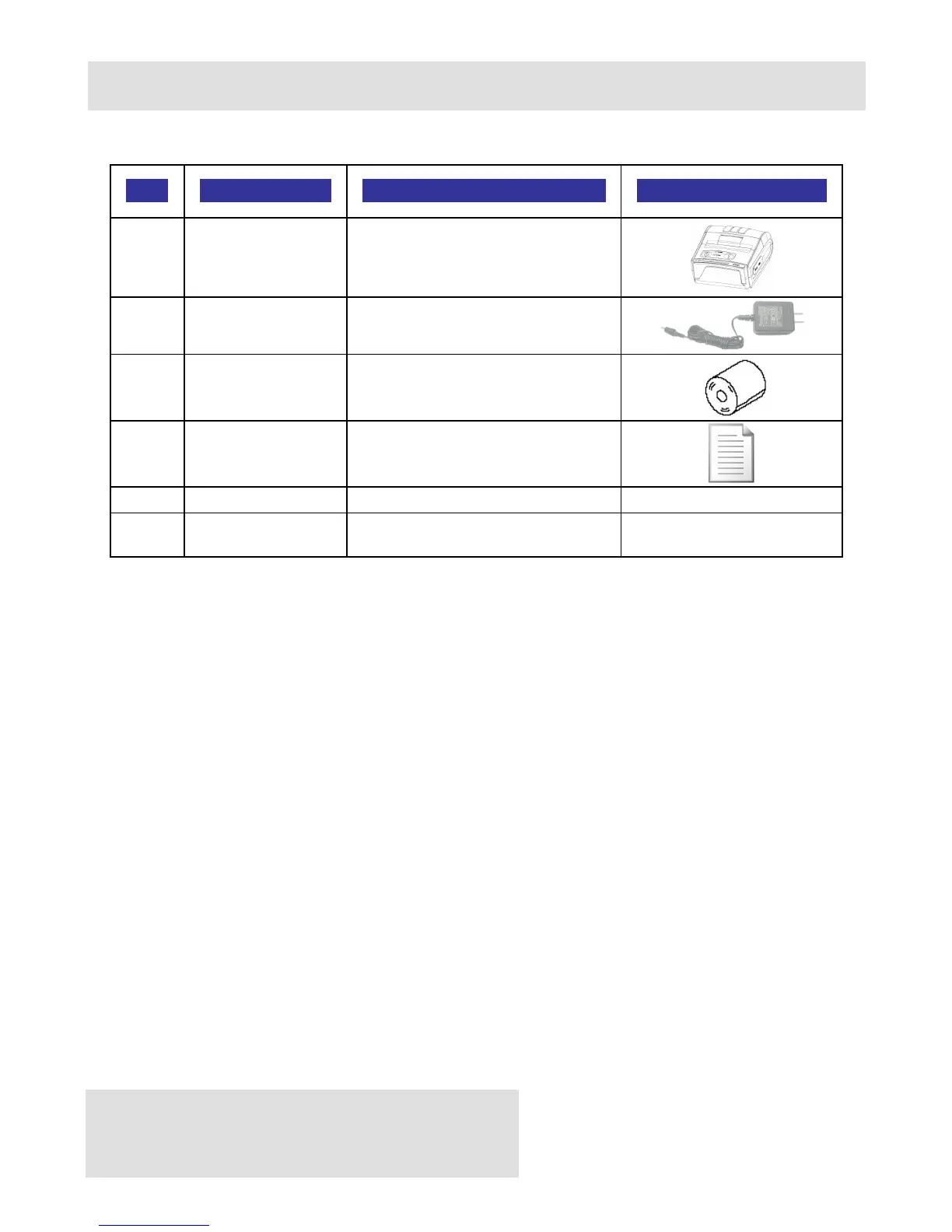
Your DPP-350 comes with the following items listed below:
Item Part Number Descriptions Image
1 DPP-350xx DPP-350 Thermal printer
2 - AC charger
3 - 1 Roll of thermal paper
4 - User's manual
5 - RS232 Interface cable
6 -
Partition (2 pcs) for 58/60mm
X 50mm diameter paper rolls*
Table 2
* With the help of 2 pcs. Partition for 58/60mm wide paper roll
DPP-350 printer can be used with different width paper rolls.
1. Turn off the printer power.
2. Open the paper cover.
3. Attach the 2 pcs. “Partition” supplied with the printer to the holes
in bottom of printer. By switching places of the two “Partition”
can be used either 58mm or 60mm wide paper rolls
4. Referring to the section of DIP switch setting change the paper
width setting to 58 mm.
Software ( Drivers & SDK ):
Because of the continually evolving Driver & SDK to support new
mobile devices, Drivers & SDK are distributed online and is available
for download at our website indicated below. For details on using the
DPP-350 Drivers & SDK, please refer to the SDK’s documentation.
http://datecs.bg/support.php?cat=4&soft=1#1



 To Next Page