Application Guide
Section 5
DriveRack
®
PA
33
DriveRack
®
PA User Manual
Hardware
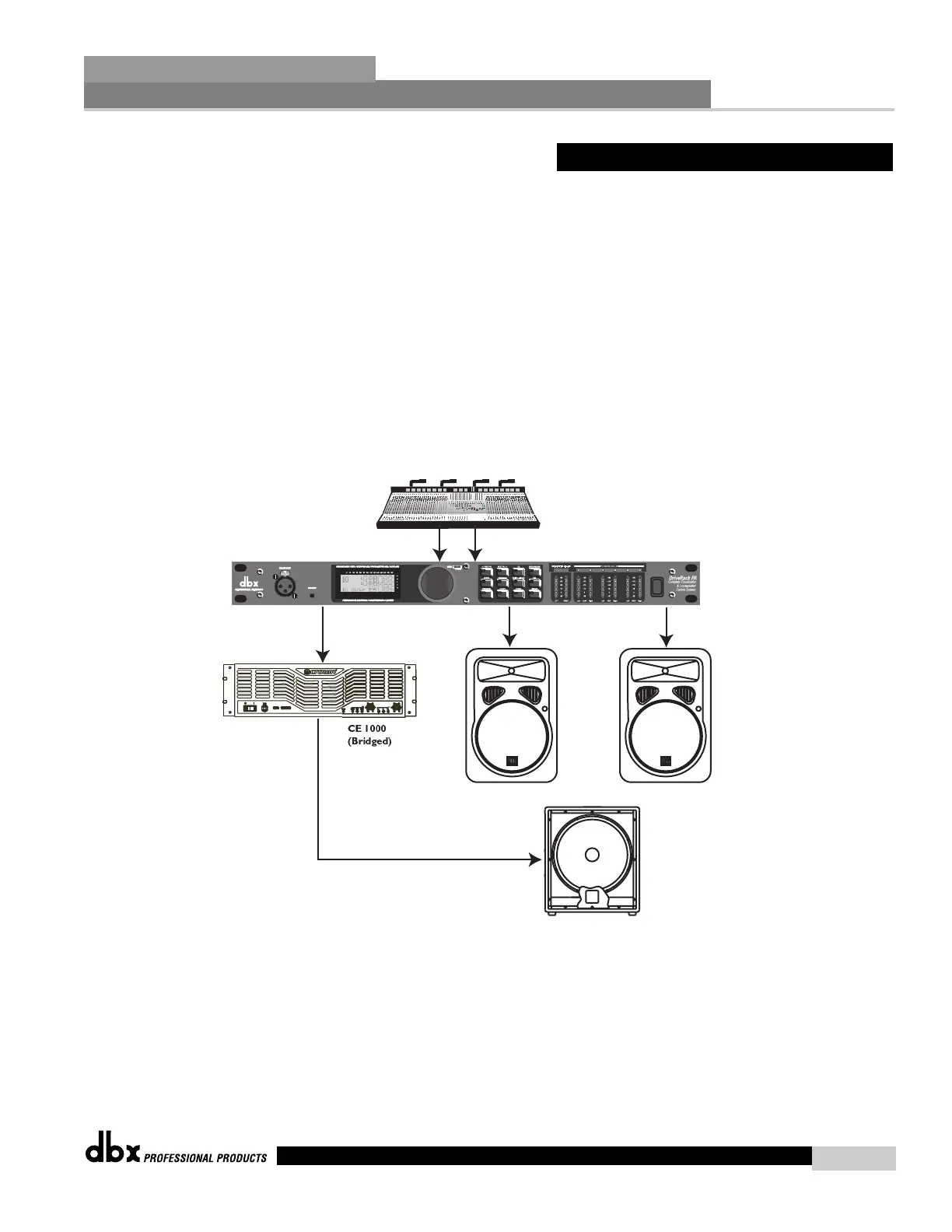
1. Connect the outputs from the mixer to the inputs of the DriveRack
®
.
2. Connect the outputs of the DriveRack
®
PA and run to the selected speaker amplifier.
3. Make sure that the mixer and power amps are turned off prior to powering up the
DriveRack
®
PA.
Software
1. Use the Wizard to setup the specific program.
2. Once the program has been chosen, press the DATA wheel to load the program.
5.4 - 2X3 Crossover
Left
Right
Mono Low
Left High
Right High
MP4718S
Non-Powered
EON15 G2EON15 G2



 To Next Page