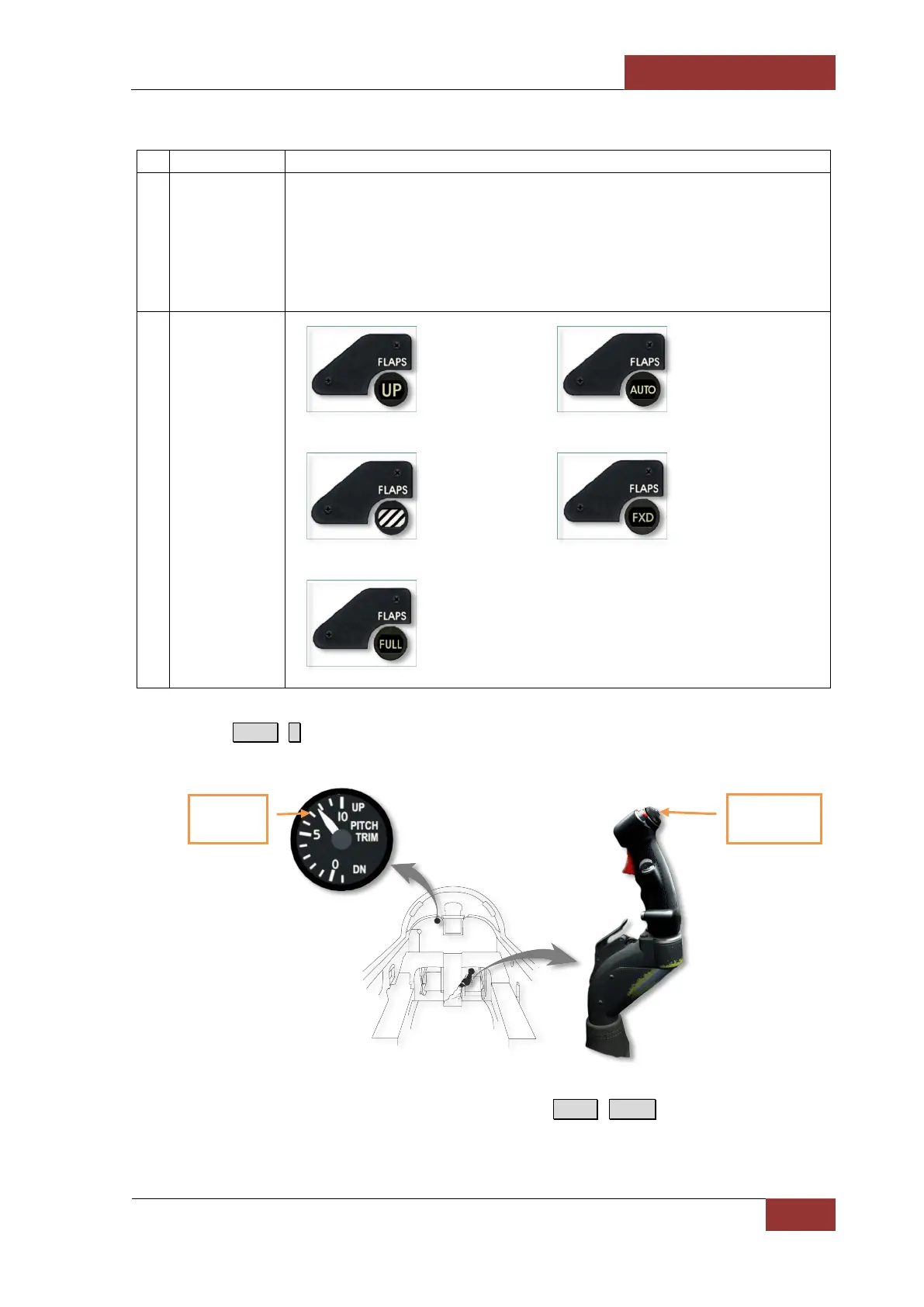
Table 1. Thumb Flap Switch and Flap Indicator
1. Thumb Flap
Switch on Right
Engine Throttle.
UP — flaps fully retracted (0°/0°). Used during cruising flight with all stores
configurations.
FXD (fixed) — flaps fixed in intermediate position. Reduces wing stalling during
active maneuvering at low speeds.
AUTO (automatic) — automatic flaps control based on the angle of attack (AOA)
and/or signals from the central air data computer (CADC).
2. Flap Indicator.
Flaps fully
retracted.
Flap position
is controlled
automatically.
Flaps in
intermediate
position.
Flaps fixed in
intermediate
position.
Flaps fully
extended.
2. Press R.Ctrl + . to set Pitch Trim to takeoff position according to Pitch Trim Indicator
depending on aircraft configuration and weight.
Note. The trim indicator is located in a hard to see place. Press
R.Ctrl
+
Enter
to display controls position
indicator and determine trim position on the pitch control axis relative to the mark that indicates maximum
nose-up trim (10 increments).
Pitch Trim
Indicator
Pitch Trim
Button



 To Next Page