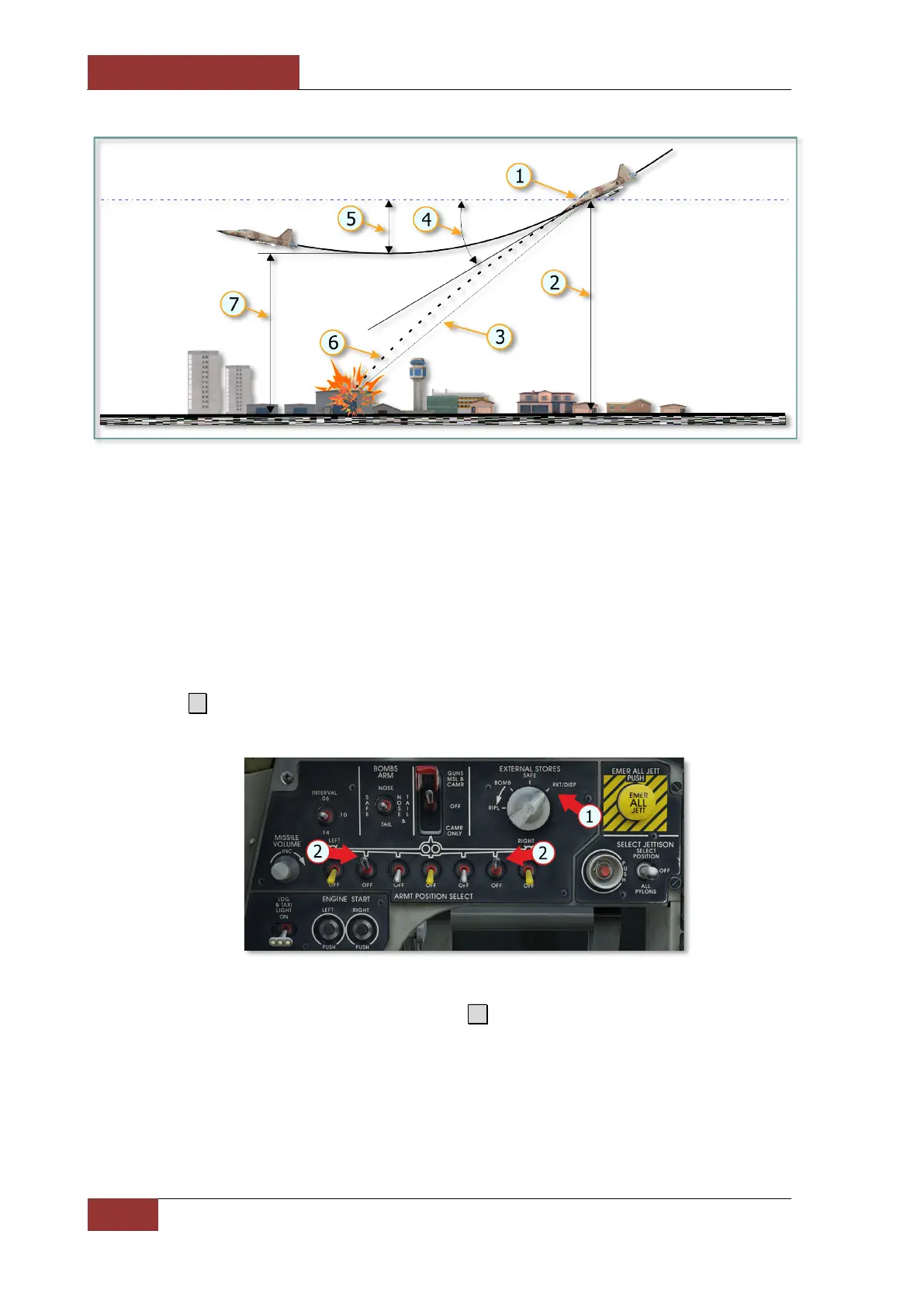
Dive bombing scheme
1.
2. Release alttitude
3. Sight line
5.
6. Bomb trajectory
7. Minimum altitude during dive exit
Rockets Employment
Before approaching a target, perform the following steps:
1. Press 7 to select AIR-TO-GROUND mode. On the armament control panel, the pylons with
rockets should be activated (2).
2. Check the selected armament. The EXTERNAL STORES switch (1) must be set to
RKT/DISP. If the switch is set to BOMB, press D to select rockets.
The reticle depression should be set to 14 MILS (2), which corresponds to the HYDRA-70
rockets selection.



 To Next Page