Landing
By pressing Numpad- decrease RPM until airspeed reaches 300 KIAS and assume an altitude of
1500 feet approximately 3 miles from the beginning of the runway.
1. Decrease RPM until airspeed reaches 260 KIAS. Extend landing gear by pressing G .
2. Maintaining an altitude of 1500 feet, decrease RPM until airspeed reaches 165 KIAS. If
necessary, use speed brakes by pressing B .
3. Verify flaps - FULL.
If necessary, set flaps to FULL by successively pressing F .
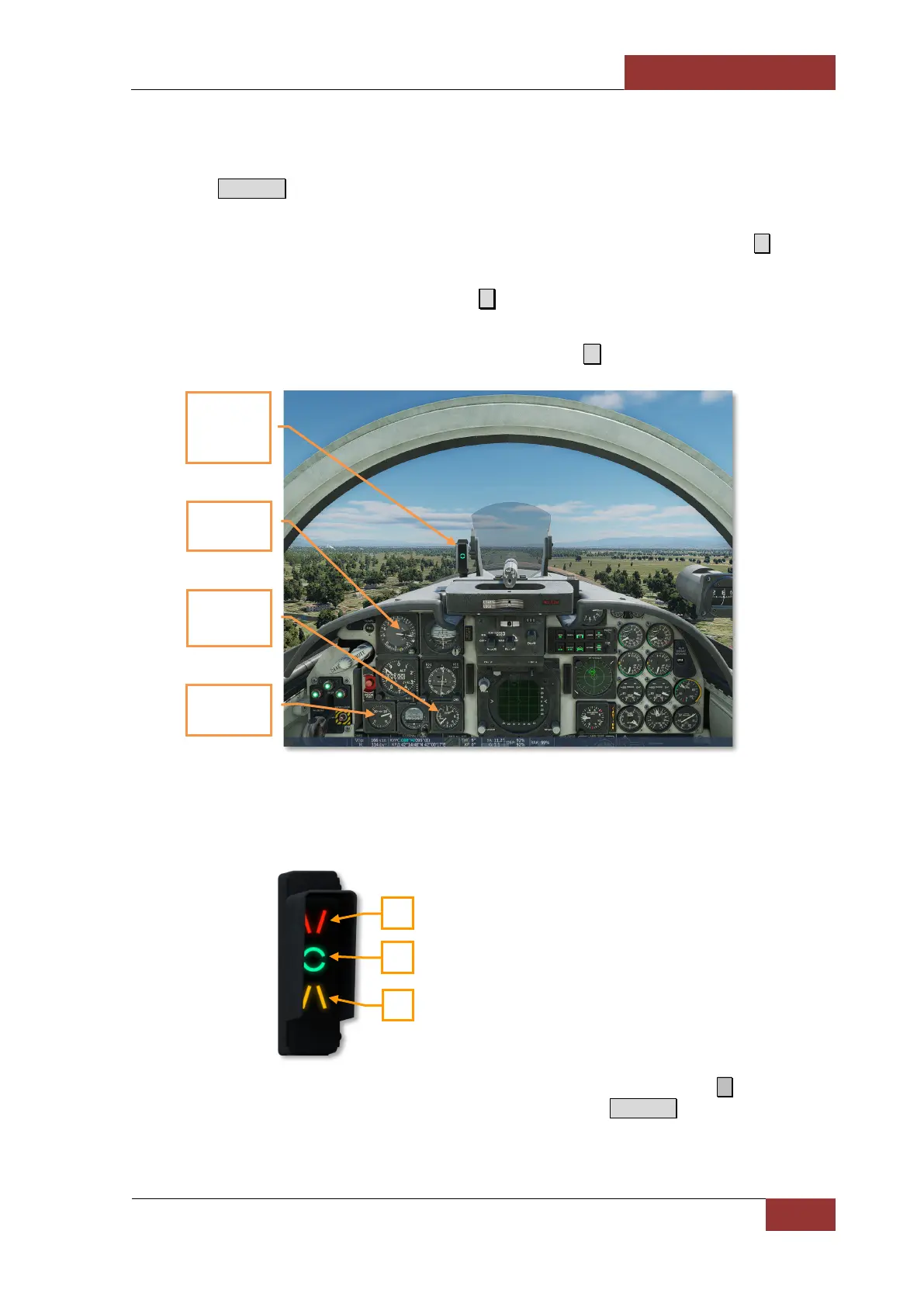
4. Descend with a vertical velocity of 1,000 feet/minute. Decrease RPM until the airspeed
reaches 145 KIAS. The angle-of-attack indicator should be at the 3 o'clock mark and the
green index (circle) on the angle-of-attack indexer should be illuminated.
1. Airspeed lower than required
landing speed.
2. Airspeed matches the required
landing speed.
3. Airspeed higher than required
landing speed.
5. When approaching the beginning of the runway, gently pull back on the stick ↓ to reduce the
descent rate to 400 ft/min. Smoothly retard the throttle to idle Numpad- and, at runway
approach, transition to a landing attitude adequate for soft landing on two main wheels at 135
KIAS.
2
3
1
Airspeed 1
KIAS
Green index
on the angle-
of-attack
indexer
Angle-of-
attack
Vertical
velocity 1000
feet/min



 To Next Page