JOINT OPERATION OF RADAR AND SIGHT SYSTEM DURING
AIR-TO-AIR COMBAT
MSL Mode
The MSL mode is designed for search, acquisition, lock-on and tracking when employing the AIM-9
missiles. The mode is used in long-range missile combat at distances up to 40 miles.
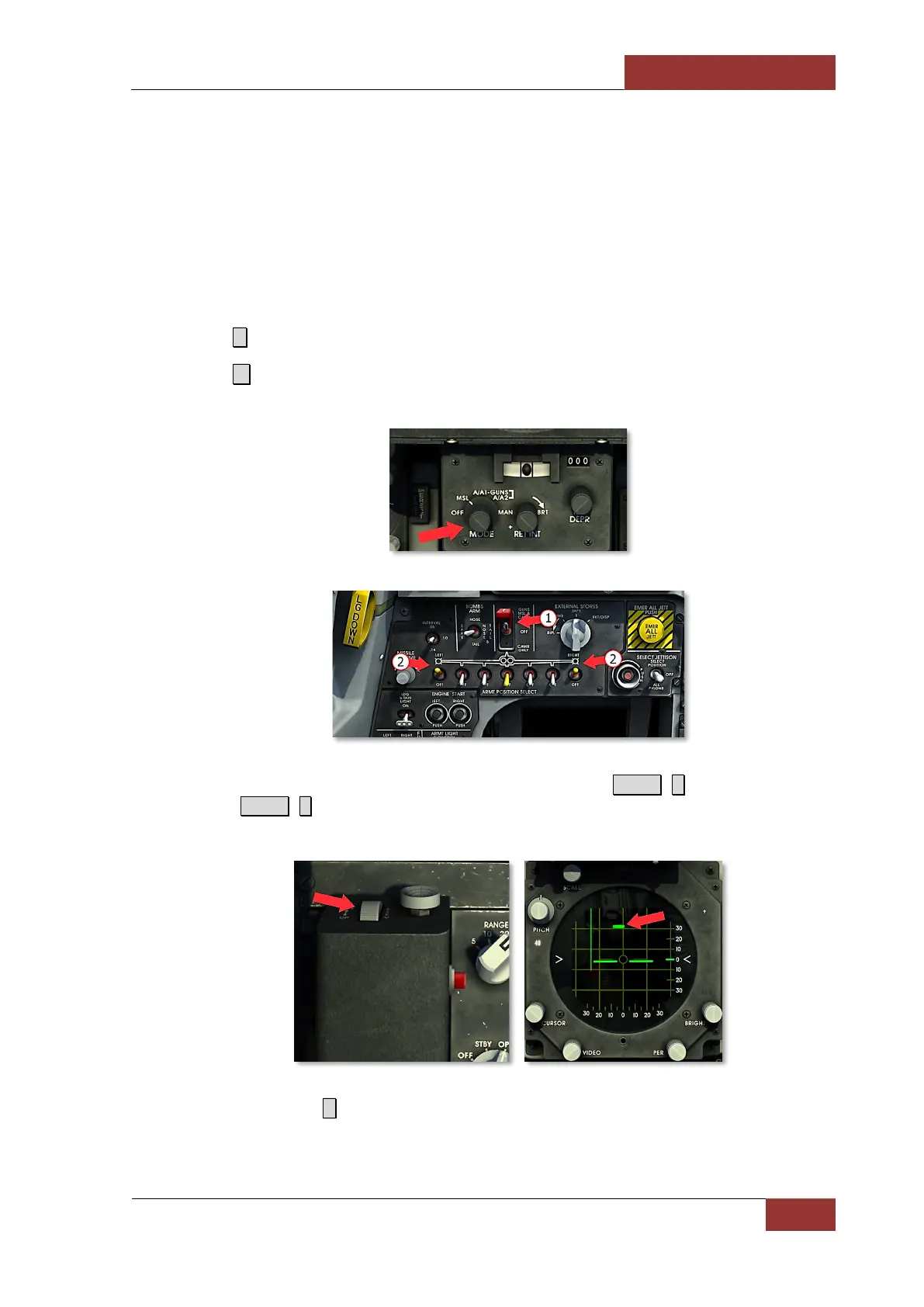
1. Press I to turn on the radar.
2. Press 2 to select MSL mode. GUNS/MISSILE & CAMERA switch (1) and switches of wingtip
launchers with AIM-9 (2) on the armament control panel will be activated.
3. Use ELEV lever to watch upper and lower hemisphere (press R.Shift+ ; to adjust radar dish
up and R.Shift + . to adjust radar dish down). Target symbol will appear on radarscope after
target acquisition. Continue approach to target up to 20-mile range.
Set RANGE selector to 20 ( - ). Target acquisition symbol appears, continue approach to target up to
10-mile range.



 To Next Page