JOINT OPERATION OF RADAR AND SIGHT SYSTEM DURING AIR-TO-AIR COMBAT
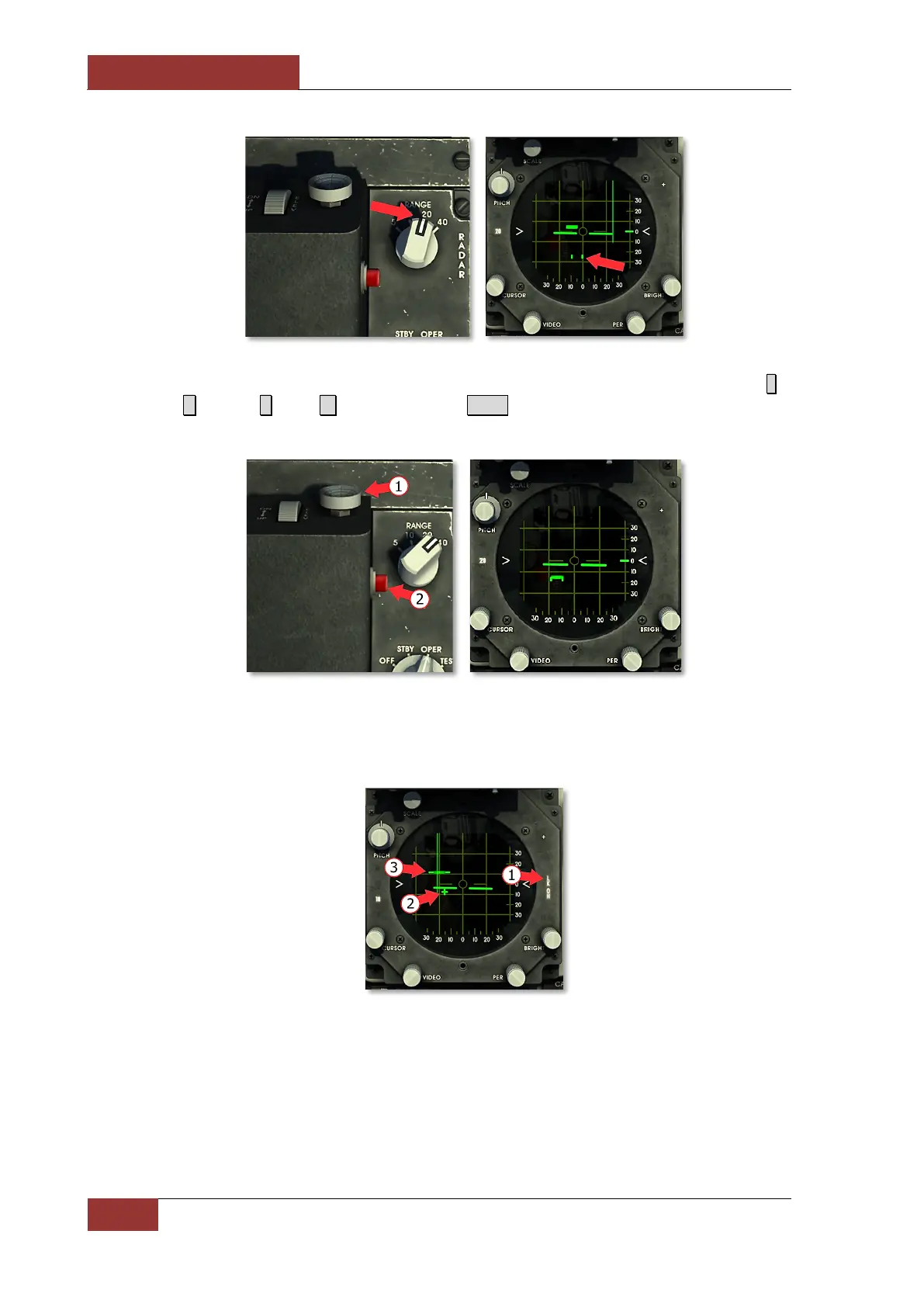
4. When 10-mile range is reached, align acquisition symbol with target using TDC button (1) ( ;
– up, . – down, , – left, / – right) and press Enter to lock on to the target. The radar
display scale will be automatically adjusted to 10 miles.
5. After the target is locked on, the LK ON light is illuminated (1) and the aim symbol is displayed
(2). Radar beam is shifted to the left to facilitate the use of targeting information. Range gate
on target (3) is displayed.
6. Maneuver the aircraft to align the radarscope center circle with the aim symbol and continue
approach while keeping aim symbol inside center circle.



 To Next Page