JOINT OPERATION OF RADAR AND SIGHT SYSTEM DURING AIR-TO-AIR COMBAT
DOGFIGHT MISSILE Mode
The DOGFIGHT MISSILE mode is designed for search, acquisition, lock-on and tracking during target
engagement. The mode is used in close missile combat at distances up to 10 miles.
1. Press I to turn on the radar.
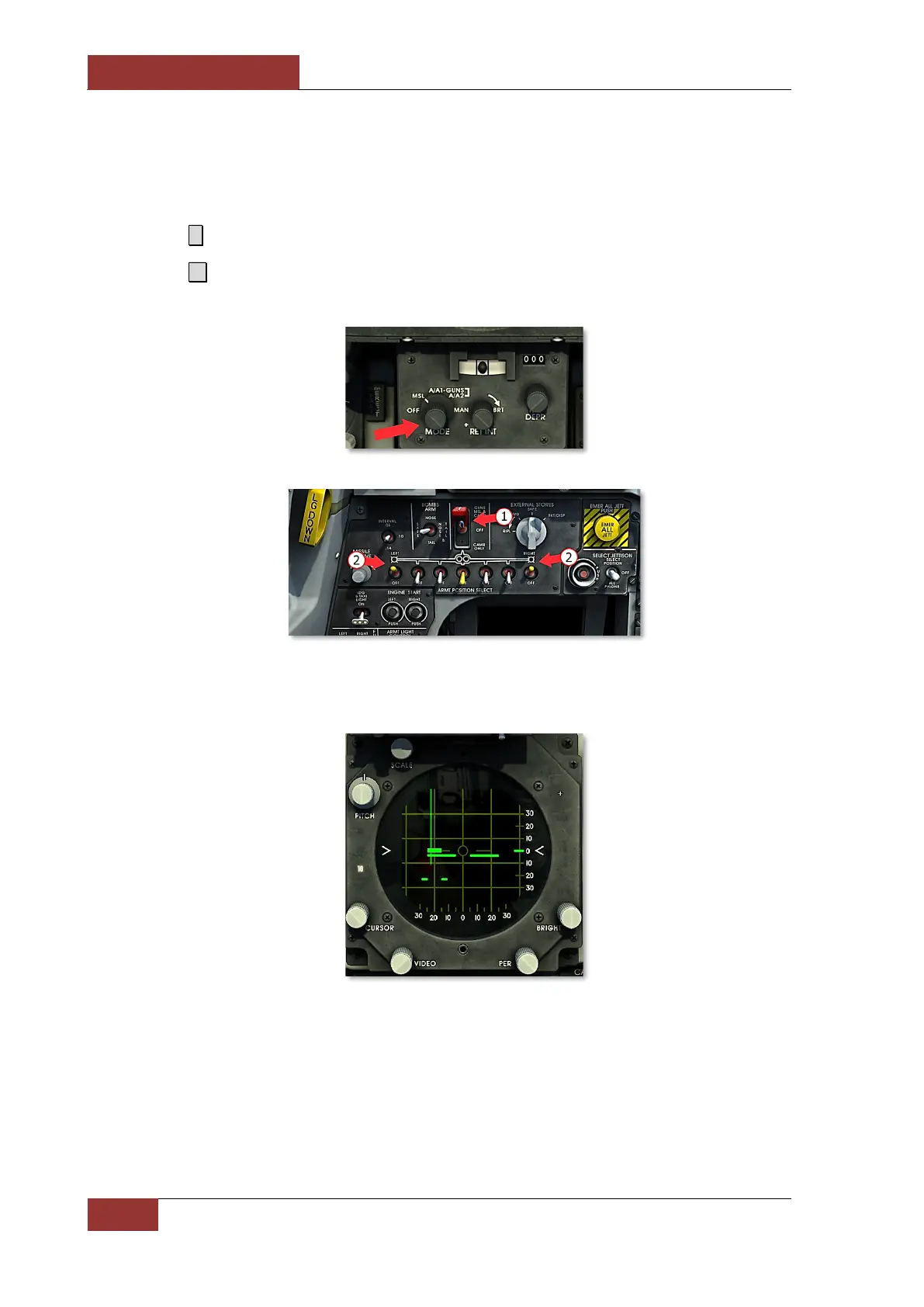
2. Press 4 to select DOGFIGHT MISSILE mode. GUNS/MISSILE & CAMERA switch (1) and
switches of wingtip launchers with AIM-9 (2) on the armament control panel will be activated.
Once the mode is activated, the radar will attempt to acquire and lock on to the target. The
radarscope scale will be automatically adjusted to 10 miles.
3. If target is between 500 and 30 000 ft range, radar locks on to target automatically. After target
is locked on:
• LK ON light illuminates;
• Aim symbol appears on the radar display;
• Targeting information is shown on reticle.



 To Next Page