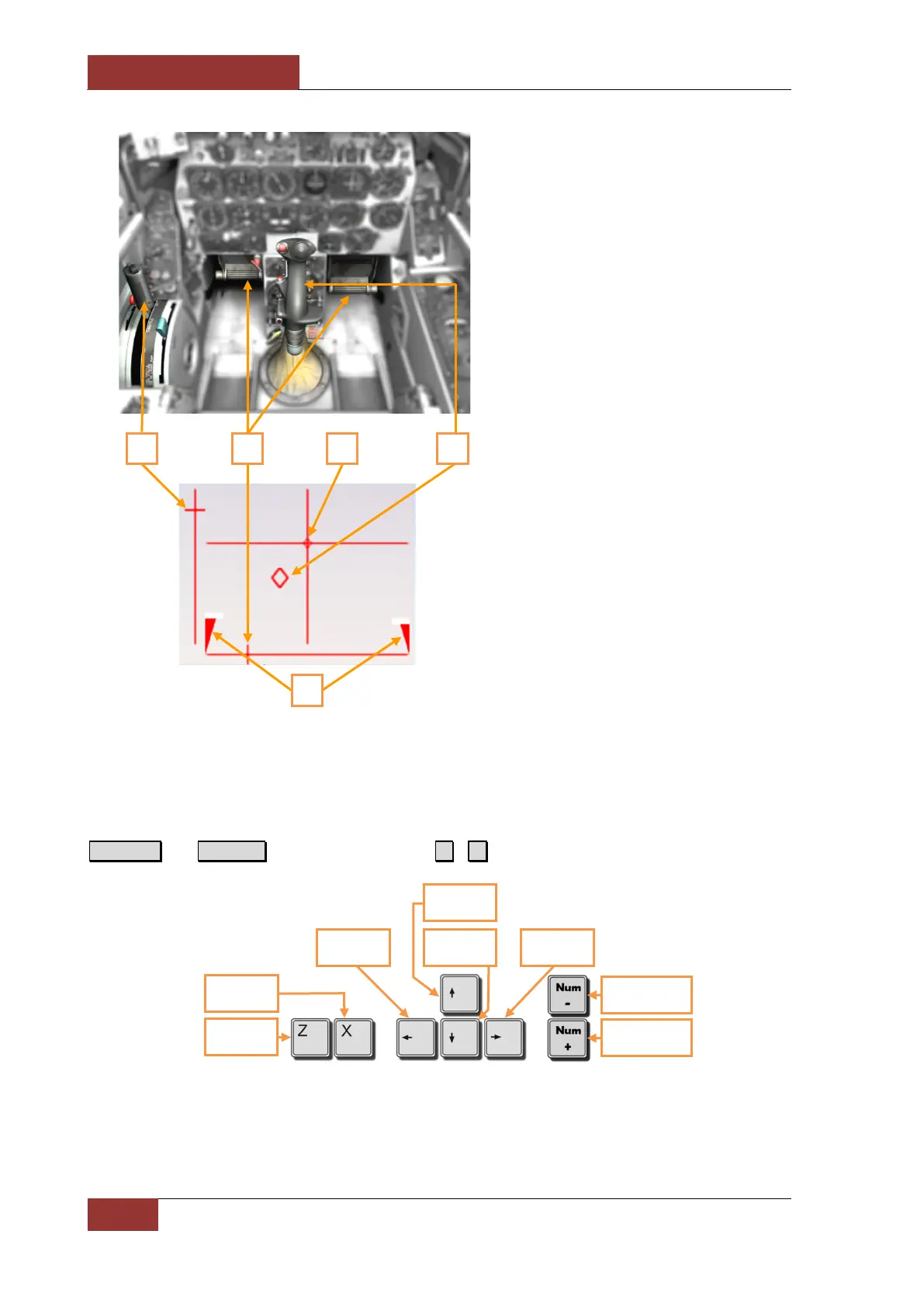
1. Throttle grip and corresponding
indication.
2. Rudder pedals and indication.
3. Trim position.
4. Flight stick and corresponding
indication.
5. Indication of the brake force
applied on the L and R wheels.
Keyboard
If you have no joystick you can fly on the keyboard anyway. Use arrow keys to control roll and pitch,
Numpad+ and Numpad- – to throttle control and Z , X – to control the rudder.
Left rudder
Throttle aft
Throttle
Nose down
Nose up
Roll left Roll right



 To Next Page