2. Apply the brakes W to stop.
3. Steer left or right by using rudder pedals Z , X . But first, unlock the nose wheel steering unit
by pressing L.Alt + Q . Maintain a safe taxiing speed by constantly adjusting the engine RPM
and using wheel brakes.
Take-off
Steer to the runway and align yourself along the centerline.
1. Press F to deploy the wing flaps.
2. Press W to stop.
3. Pressing Numpad+ increase power to maximum. Release the W button leave the bird to go
for the run.
4. Use gentle pedal inputs ( Z , X ) to keep your running path centered. Disengage wheel
steering L.Alt + Q at 50 knots of air speed. Starting from this moment the air speed is enough
for the aircraft to have full rudder control.
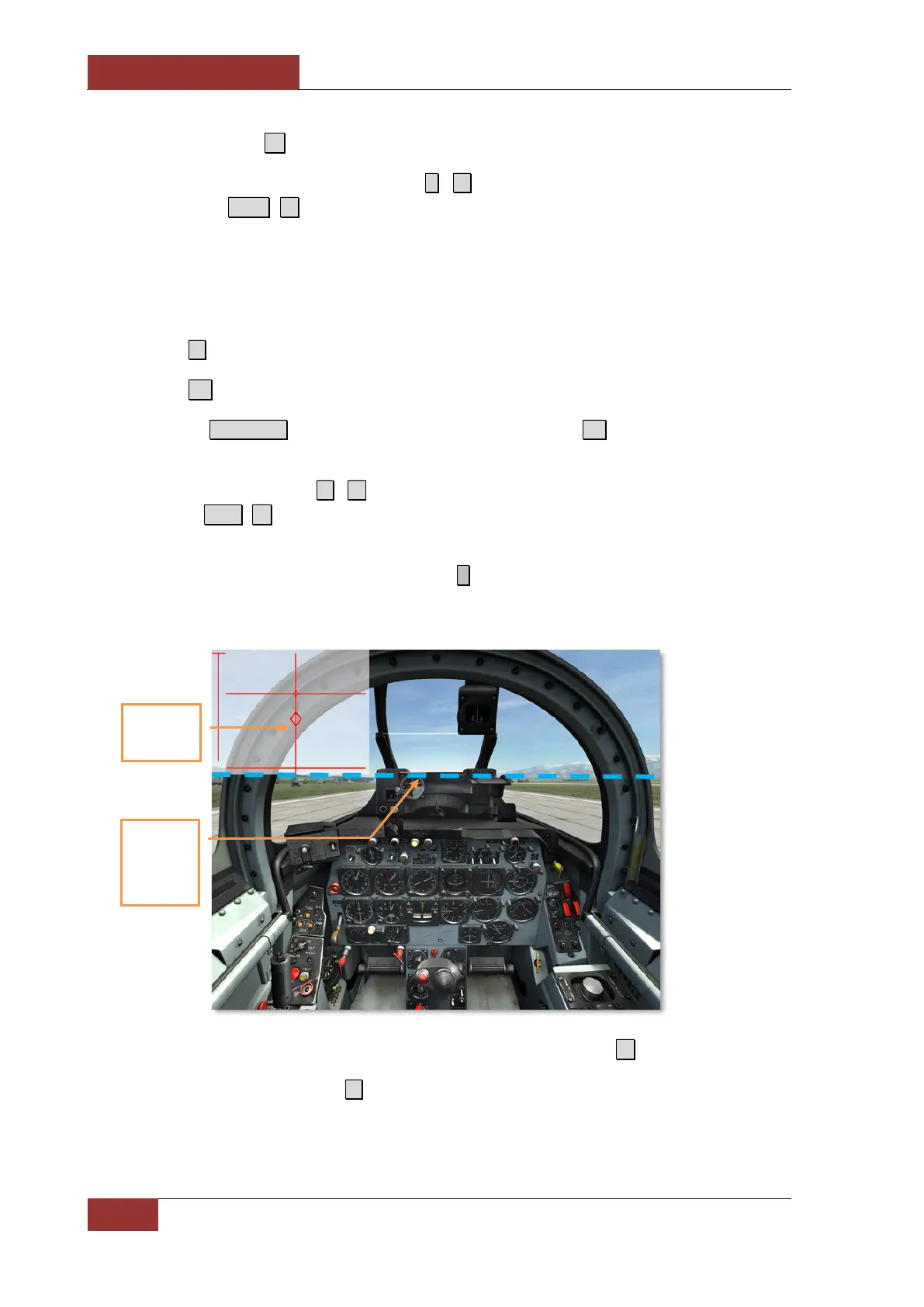
5. At the speed of 100 knots smoothly pull back ↓ on the stick halfway down until the bottom of
the sight glass aligns with the horizon. Once the nose starts rising, push the stick forward a bit
and fix the position until fully off the ground in order to avoid hitting the runway with a tail.
6. After taking off from the runway, retract the landing gear by pressing G .
7. Retract the flaps by pressing F when speed reaches 140 KIAS and the altitude is no less
than 150 feet.
8. Maintain the climb angle sufficient enough for speed and altitude to rise.
Stick is
around its
halfway pull
Bottom of
the sight
glass aligns
with the
horizon



 To Next Page