4. Monitor the RPM increases and reaches 40-50% in success.
5. Smoothly push the throttle back to the desired position and continue the flight Numpad+.
Landing
Once in the vicinity of the airport, lower the RPM Numpad- and slow down to 180 - 185 KIAS (see the
yellow marking on the airspeed indicator. Use the airbrake B , if needed.
1. Lower the landing gear G and the flaps F .
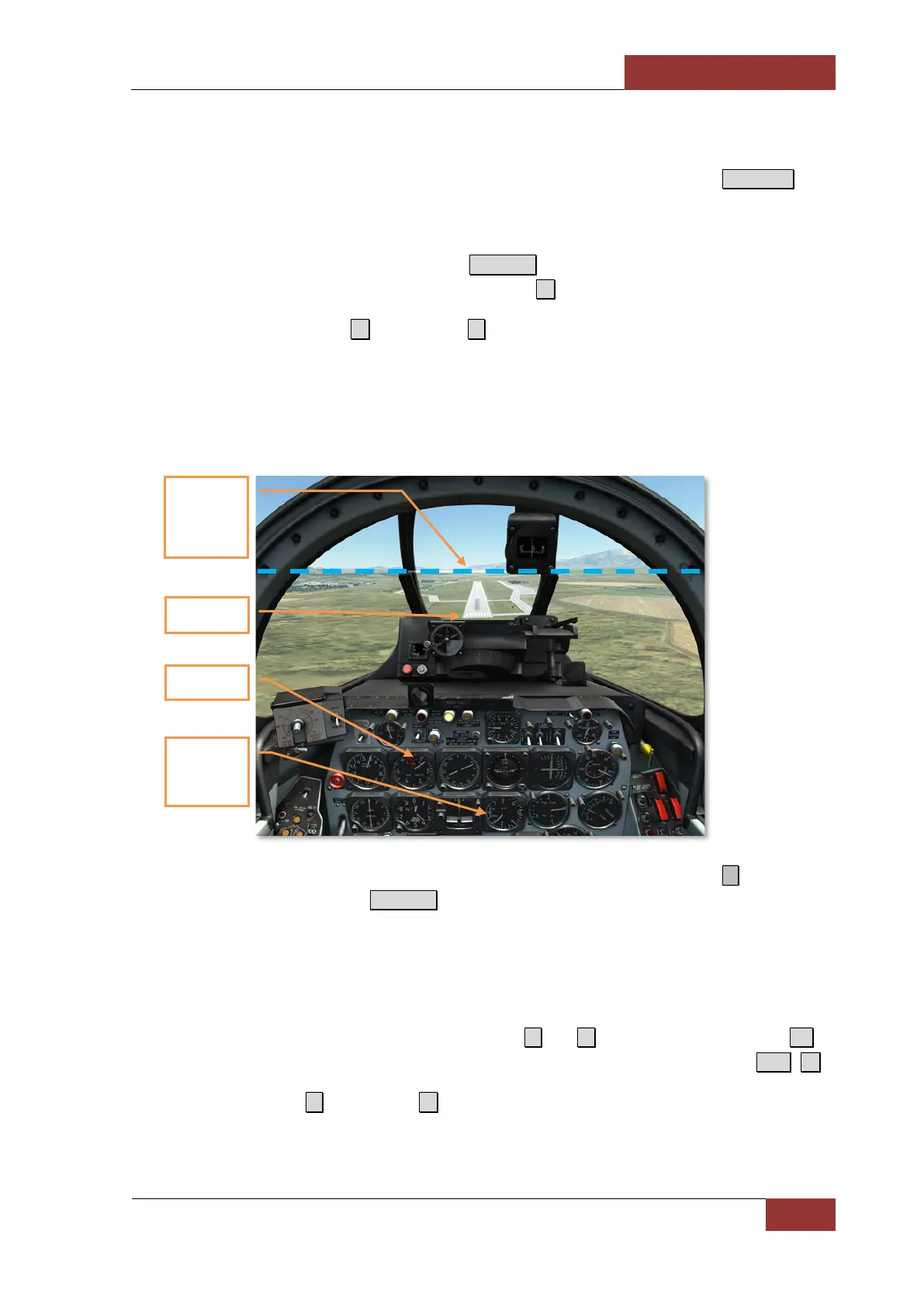
2. Align yourself with the runway at 1000 feet of altitude and 3 miles’ distance. Descend at 140
knots of the airspeed. Constantly monitor the air speed, the vertical speed and
descending angle by keeping the horizon at the upper side of the sight glass.
3. Keep RPM at no less than 63%. If the speed falls below 120 knots, you might stall and crash.
4. At the threshold lower the vertical speed by pulling the stick backward slightly ↓ . Pull the
throttle to the idle position Numpad-.
5. Gently touch the runway with both main wheels at the speed of 115 knots. If you have more
than 50% of fuel you should increase the touchdown speed. Regardless, speed below 110
knots is not permitted because of the high probability of a crash.
6. Once on the ground, lower down the nose wheel and let the aircraft run, keeping yourself on
the centerline by applying the rudder corrections Z and X . Apply wheel brakes gently W to
shorten the run distance. At the speed below 50 knots enable nose wheel steering L.Alt + Q .
7. Retract the flaps F and airbrake B after the run and taxi to parking.
130-140 KIAS
T
he horizon at
the upper side
of the sight
glass
Runway
at 1500 fpm
or lower



 To Next Page